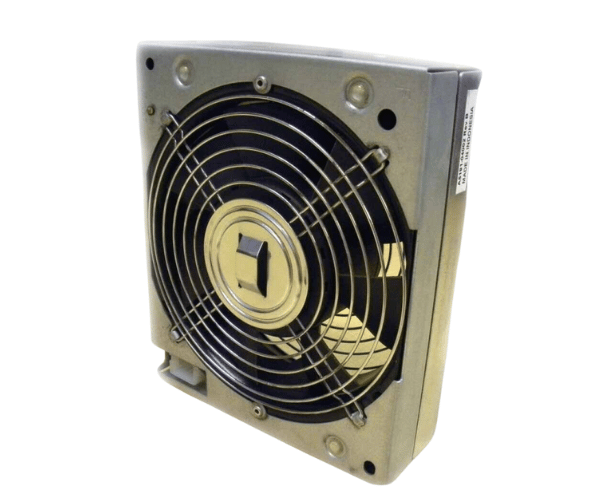
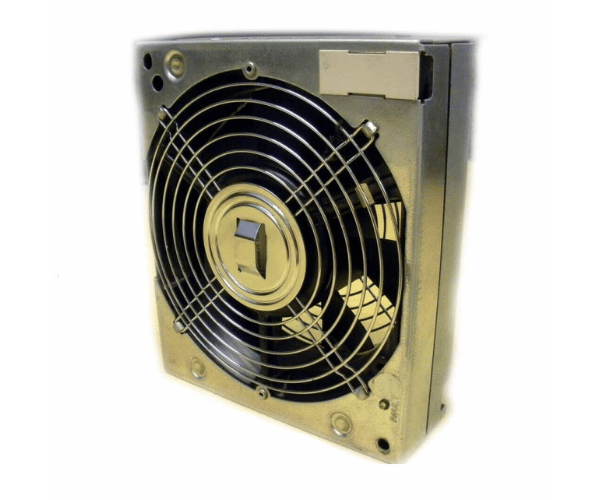
HP A5191-04002 L Class Fan Unit
The HP A5191-04002 L Class Fan Unit is a critical cooling component designed for HP L-Class servers. This fan unit provides efficient airflow to prevent overheating and ensure optimal performance. With the HP A5191-04002, you can maintain your server’s stability and extend its lifespan, making it an essential part of your IT infrastructure.
User Experience
Users find the HP A5191-04002 L Class Fan Units highly effective in managing server temperatures. Its efficient airflow helps in maintaining optimal operating conditions, preventing overheating even during peak loads. The fan is praised for its easy installation and quiet operation. Users also appreciate the durability of the HP A5191-04002, which contributes to the overall reliability of their HP L-Class servers.
Why Choose the HP A5191-04002 L Class Fan Unit?
The
HP A5191-04002 L Class Fan is a top choice for ensuring the longevity and performance of your HP L-Class servers. Its high-efficiency cooling helps prevent system overheating, which is crucial for maintaining server stability. The HP A5191-04002’s easy installation and low noise level add to its appeal, making it an ideal replacement or upgrade for your server’s cooling system. Choosing the HP A5191-04002 ensures that your server remains in peak condition, minimizing the risk of hardware failures and downtime.
Key Features
- Efficient Cooling: Provides high-performance airflow to keep your server operating at optimal temperatures.
- Low Noise Operation: Designed to run quietly, reducing acoustic noise in the server environment.
- Durable Construction: Made from high-quality plastic and metal for long-lasting reliability.
- Easy Installation: Simple to install and replace, ensuring minimal down time
- Compatibility: Specifically designed for HP L-Class servers, ensuring a perfect fit and function.
Installation Steps
- Power Down the Server: Confirm the server is completely powered off and unplugged from all power sources for safety.
- Open the server chassis: Remove the cover or access panel to access the internal components.
- Locate the Fan Unit Slots: Identify the slot where the HP A51 91-04002 L Class Fan Unit will be installed.
- Remove the Old Fan Unit: Carefully detach the old fan unit from its position.
- Install the HP A5191-04002 Fan Unit: Position the HP A519 1-04002 L Class Fan Unit into the slot and secure it properly.
- Check Connections: Ensure that all connections are correctly fitted and the fan unit is firmly in place.
- Replace the Cover or Panel: Reattach the cover or access panel of the server chassis..
- Power On the Server: Reconnect the power and turn the server back on, confirming that the new fan unit is functioning correctly.