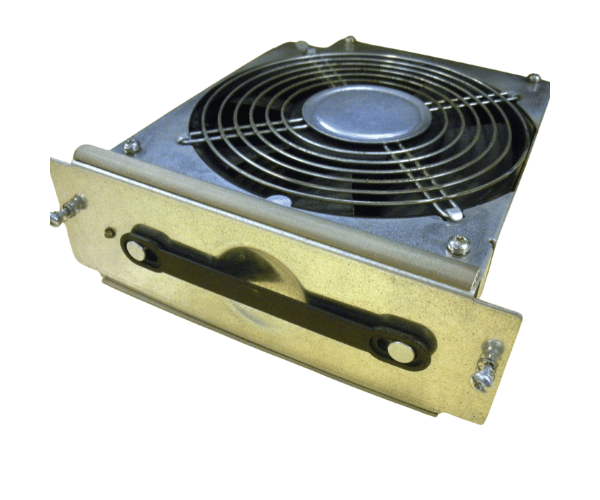
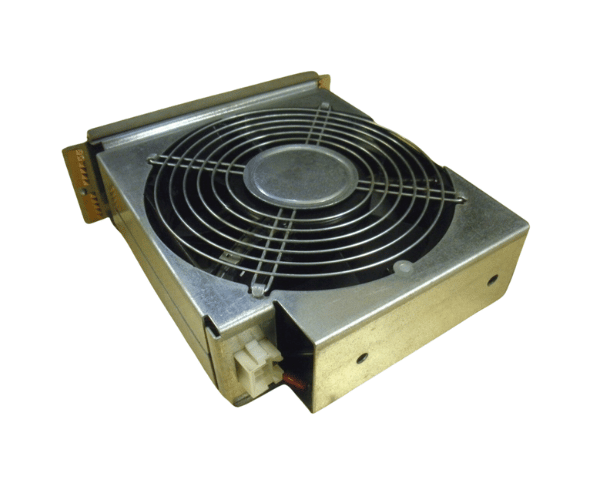
HP A3639-04018 Front Fan Assembly for N4000
The HP A3639-04018 Front Fan Assembly is crucial for ensuring optimal cooling in the HP N4000 server. Designed to ensure efficient airflow, this fan assembly prevents overheating and helps keep your server running smoothly. Ideal for both replacement and upgrades, the HP A3639-04018 Front Fan Assembly is crucial for reliable server performance.
User Experience
The
HP A3639-04018 Front Fan Assembly is well-regarded by users for its reliability and effective cooling performance. Customers have reported that installing the HP A3639-04018 Front Fan Assembly leads to noticeable improvements in server cooling and stability. The fan operates quietly, making it suitable for environments where noise is a concern. Installation is straightforward, allowing for quick upgrades or replacements with minimal disruption. Overall, the HP A3639-04018 Front Fan Assembly enhances the overall efficiency and longevity of the HP N 4000 server.
Why Choose the HP A3639-04018 Front Fan Assembly?
Opting for the
HP A3639-04018 Front Fan Assembly is a smart choice for ensuring the longevity and efficient operation of your HP N4000 server. This fan assembly is specifically designed to provide high-efficiency cooling, which is crucial for preventing overheating and maintaining system performance. By selecting the HP A3639-04018 Front Fan Assembly, you safeguard your server from potential damage caused by excessive heat, reducing the risk of system failures and extending the lifespan of your equipment. Its compatibility with the HP N4000 makes it an ideal solution for your cooling needs.
Key Features
- High-Efficiency Cooling: The HP A3639-04018 Front Fan Assembly delivers effective airflow to keep your server cool.
- Quiet Operation: Designed to operate quietly, minimizing noise in sensitive environments.
- Easy Installation: Designed with a plug-and-play feature for swift and effortless setup.
- Enhanced System Longevity: Maintains optimal temperatures, extending the life of your HP N4000 server.
- Reliable Performance: Built to provide consistent cooling in high-demand environments.
Installation Steps
- Power Down the System: Ensure the HP N4000 server is powered off and disconnected from the power source before starting the installation.
- Locate the Fan Assembly Slot: Identify the slot for the HP A3639-04018 Front Fan Assembly in the server.
- Remove the Old Fan Assembly: If replacing an existing fan assembly, carefully remove it by unscrewing or sliding it out.
- Install the New Fan Assembly: Align the HP A3639-04018 Front Fan Assembly with the slot and securely fit it in place.
- Reconnect Power: Reconnect the server and power it on to ensure the new fan assembly is operating correctly.
- Verify Operation: Use system diagnostics to ensure the fan assembly is providing adequate cooling and operating as expected.