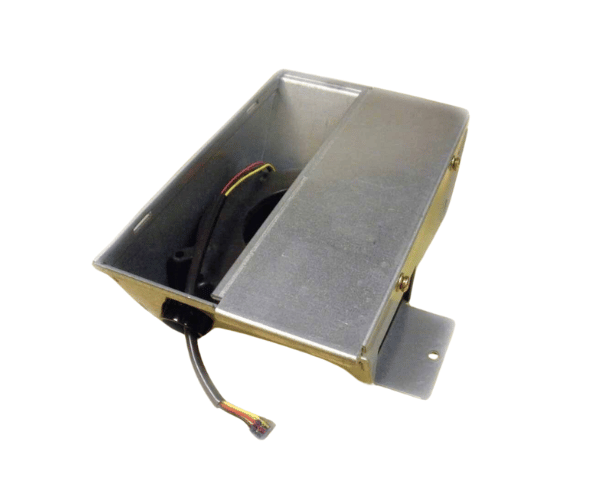
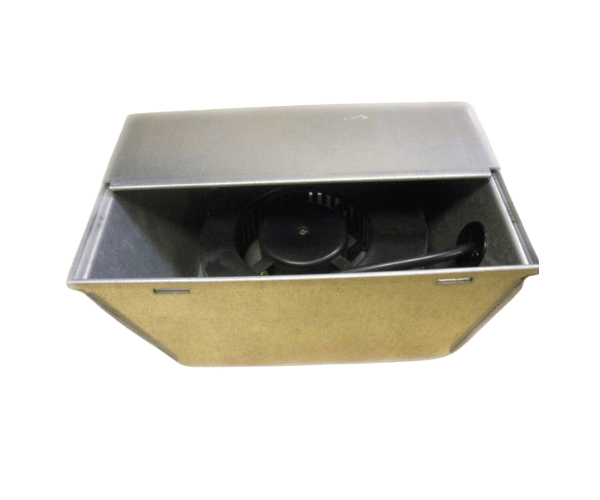
HP A3262-60033 FAN Blower Assembly For Hot
The HP A3262-60033 Fan Blower Assembly for Hot is designed to provide effective cooling in high-temperature environments. Essential for maintaining optimal performance and reliability, this blower assembly ensures efficient heat dissipation, protecting your HP equipment from overheating and ensuring smooth operation even under demanding conditions.
User Experience
Users of the HP A3262-60033 FAN Blower Assembly report excellent performance and reliability in cooling HP equipment. The blower assembly effectively manages heat in hot environments, preventing system failures and maintaining optimal operation. Users appreciate its quiet performance, which minimizes disturbances in the workplace. The HP A3262-60033 is noted for its robust build and long-lasting durability, reducing the need for frequent replacements. Overall, users find the HP A3262-60033 FAN Blower Assembly to be a valuable component for ensuring the efficient cooling of their HP equipment.
Why Choose the HP A3262-60033 FAN Blower Assembly For Hot?
Choosing the
HP A326 2-60033 FAN Blower Assembly for Hot ensures that your HP equipment operates efficiently even in high-temperature conditions. The HP A32 62-60033 Fan Blower Assembly for Hot is specifically engineered to handle the demands of hot environments, providing reliable cooling and preventing overheating. Its low noise and energy-efficient operation make it ideal for use in sensitive or high-demand settings. By selecting the HP A32 62-60033 FAN Blower Assembly For Hot, you invest in a cooling solution that enhances performance and extends the lifespan of your HP equipment.
Key Features
- High Compatibility: Designed for HP equipment operating in hot environments.
- Effective Heat Dissipation: Ensures optimal cooling to prevent overheating.
- Durable Construction: Made with high-quality materials for long-term reliability.
- Quiet Operation: Low noise levels for a more peaceful working environment.
- Energy Efficient: Consumes minimal power while delivering efficient cooling.
Installation Steps
- Power Down the Equipment: Turn off the equipment and disconnect it from all power sources.
- Open the Equipment Chassis: Remove the cover or access panel to reach the internal components.
- Locate the Existing Fan Assembly: Find the position where the current blower assembly is installed.
- Remove the Old Blower Assembly: Disconnect and take out the old blower assembly from its mounting.
- Install the HP Blower Assembly: Position the HP A3262-60033 Fan into the designated slot and secure it with screws or clips.
- Reassemble the Equipment: Replace the cover or access panel and reconnect all power sources.
- Verify Operation: Power on the equipment and check that the blower assembly is functioning correctly, ensuring effective cooling.