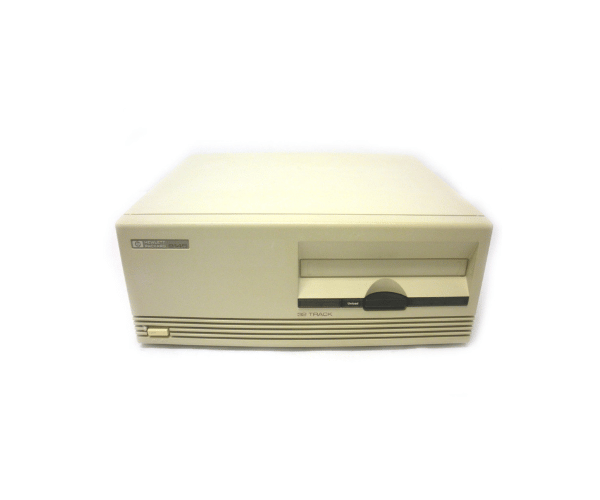
Buy the HP 9145A 9145 128MB 32 Track 1/4 Tape Drive
HPE 9145A 9145 128MB 32 Track 1/4 Tape Drive HP-IB Interface New Capstan is a robust and reliable tape drive designed for professionals who require high-performance data storage and retrieval solutions. This tape drive offers a combination of substantial storage capacity, reliable data transfer, and a user-friendly interface, making it a valuable asset for businesses and individuals alike. With its HP-IB interface, it ensures compatibility with various systems, making data management straightforward and efficient.
User Experience:
Users of the
HPE 9145A 9145 128MB 32 Track 1/4 Tape Drive-IB Interface New Capstan appreciate its straightforward setup and dependable performance. The HP-IB interface allows for quick integration into existing systems, while the tape drive’s capacity and track features ensure that data is efficiently stored and easily accessible. The new capstan design improves the tape movement, reducing the risk of mechanical failures and ensuring smooth operation over time.
Why Choose the HPE 9145A 9145 128MB 32 Track 1/4 Tape Drive HP-IB Interface New Capstan?
The
HPE 9145A 9145 128MB 32 Track 1/4 Tape Drive-IB Interface New Capstan is an excellent choice for those who need reliable and efficient data storage. Its combination of large storage capacity, efficient track recording, and robust build quality ensures that your data is safely stored and easily retrievable. Whether you're archiving critical business information or backing up large datasets, this tape drive offers the performance and reliability you need.
Installation Steps:
- Unpack the HPE 9145A 9145 128MB 32 Track 1/4 Tape Drive-IB Interface New Capstan and verify all components.
- Power down your system and open the chassis to locate the available bay.
- Install the tape drive into the bay, securing it with the provided screws.
- Connect the HP-IB interface cable from the tape drive to your system’s corresponding port.
- Power on the system and install any necessary drivers or software.
- Configure the tape drive settings in your system’s BIOS or software settings.
- Perform a test backup to ensure that the tape drive is functioning correctly.
Uses of the HPE 9145A 9145 128MB 32 Track 1/4 Tape Drive-IB Interface New Capstan:
- Data Archiving: Ideal for storing large datasets securely for long-term access.
- System Backups: Provides a reliable medium for regular system backups.
- Data Transfer: Efficiently transfers data between systems using the HP-IB interface.
- Research and Development: Perfect for storing and retrieving experimental data in R&D environments.