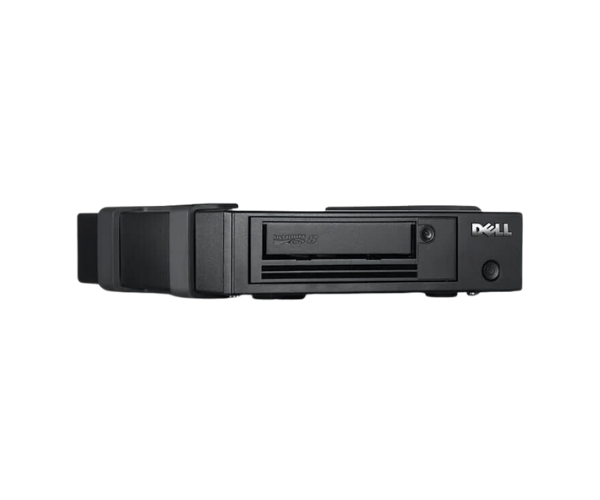
Buy the Dell PowerVault LTO-9 Tape Drive
Dell PowerVault LTO-9 Tape Drive is a cutting-edge solution designed for organizations that require secure, reliable, and cost-effective long-term data storage. This tape drive offers a remarkable native storage capacity of up to 18TB per cartridge, making it ideal for industries with high data retention needs, such as healthcare, media, and oil and gas. With advanced features like AES 256-bit hardware encryption and compatibility with previous LTO-8 media, the
Dell Power Vault LTO-9 Tape Drive stands out as a powerful tool for data backup and archiving.
Key Features of Dell PowerVault LTO-9 Tape Drive:
- High Capacity: Store up to 18TB of data natively on a single cartridge, providing ample storage for large datasets.
- Fast Transfer Rates: Achieve data transfer speeds of up to 400MB/s with full-height drives, enabling efficient data backup and retrieval.
- Enhanced Security: Protect sensitive information with AES 256-bit hardware encryption, ensuring data integrity and compliance with regulatory requirements.
- Backward Compatibility: Easily upgrade from previous LTO versions with read/write compatibility with LTO-8 media.
- LTFS Support: Simplify data management and ensure portability across different systems with Linear Tape File System (LTFS) support.
User Experience:
Users of the
Dell Power Vault LTO-9 Tape Drive have praised its reliability, ease of use, and high data security. The drive’s ability to store vast amounts of data on a single cartridge, combined with fast transfer rates, allows businesses to efficiently manage and protect their critical information. The backward compatibility with LTO-8 media also makes it easier for organizations to upgrade their existing storage infrastructure without losing access to older data.
Why Choose Dell PowerVault LTO-9 Tape Drive?
Choosing the
Dell Power Vault LTO-9 Tape Drive means investing in a storage solution that is both reliable and future-proof. Its large storage capacity and fast data transfer rates make it ideal for industries that generate massive amounts of data. Furthermore, its advanced encryption technology ensures that your data remains secure and compliant with regulatory standards. The tape drive’s energy efficiency and LTFS support also make it a cost-effective and versatile option for long-term data storage.
Installation Steps:
- Unpack the Tape Drive: Carefully unpack the Dell Power Vault LTO-9 Tape Drive and check all components.
- Mount in Rack: Install the tape drive in a suitable rack using the provided hardware.
- Connect to System: Attach the drive to your server or storage system via the SAS interface.
- Power On and Configure: Turn on the tape drive and configure it through your system's storage management software.
- Load Media: Insert the LTO-9 cartridges into the drive and perform initial formatting if required.
- Start Backups: Begin using the tape drive for backups, data archiving, or other storage needs.
Uses of Dell PowerVault LTO-9 Tape Drive:
The
Dell Power Vault LTO-9 Tape Drive is suitable for various data-intensive applications, including:
- Healthcare Imaging: Securely store and archive large volumes of medical imaging data.
- Media and Entertainment: Efficiently backup and archive high-definition video and audio content.
- Video Surveillance: Store extensive video surveillance footage for long-term security needs.
- Geophysical Data: Retain large datasets related to oil, gas, and other geological studies.
- Computational Analysis: Preserve complex datasets from genome mapping, simulations, and research.