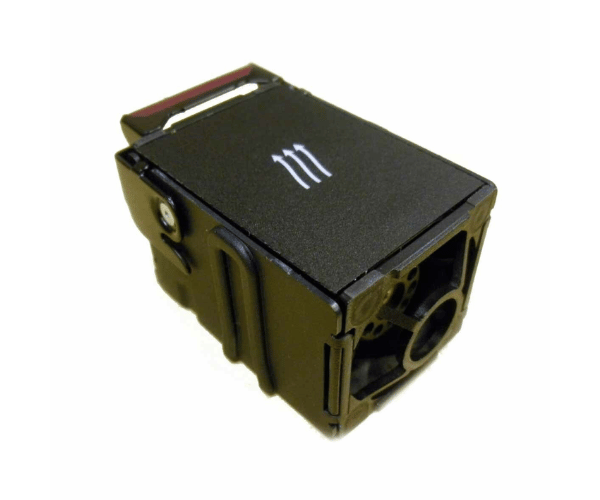
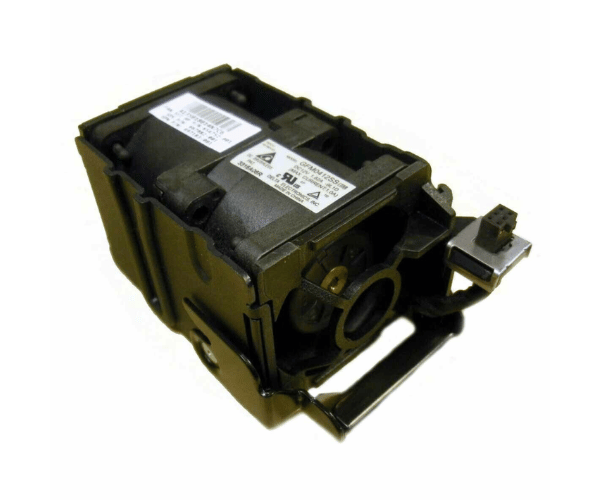
HP 732136-001 Dual Rotor Fan Assembly for DL360p Gen8
The
HP 732136-001 Dual Rotor Fan Assembly for DL360p Gen8 is essential for maintaining optimal cooling in HP DL360p Gen8 servers. This dual rotor fan assembly provides robust airflow to maintain stable operation and prevent overheating. It is a reliable component that supports the efficient functioning of your server.
User Experience
The
HP 732136-001 Dual Rotor Fans Assembly for DL360p Gen8 is highly praised for its effective cooling performance. Users report that this fan assembly significantly improves airflow within the server, which is crucial for maintaining optimal operating temperatures and preventing overheating. The dual rotor design enhances cooling efficiency, making it a dependable choice for high-demand environments. The installation process is straightforward, and the fan operates quietly, contributing to a more stable and quieter server environment.
Why Choose the HP 732136-001 Dual Rotor Fans Assembly for DL360p Gen8?
Choosing the
HP 732136-001 Dual Rotor Fans Assembly for DL360p Gen8 is an excellent decision for maintaining the performance and reliability of your HP DL360p Gen8 server. This fan assembly is engineered to provide high-performance cooling, which helps prevent thermal issues and ensures stable server operation. The dual rotor design of the
HP 73213 6-001 Dual Rotor Fan Assembly for DL360p Gen8 offers enhanced airflow, which is essential for high-performance computing environments.
The
HP 732136-001 2Rotor Fan Assembly for DL360p Gen8 is a durable and efficient solution that meets the cooling demands of modern servers. Its reliability, ease of installation, and effective cooling make it a valuable addition to any server setup, ensuring that your equipment runs smoothly and efficiently.
Installation Steps
- Power Down the Server: Turn off the HP DL360p Gen8 server and disconnect it from all power sources to ensure safety during installation.
- Access the Server Chassis: Open the server’s chassis to access the internal components where the fan assembly will be installed.
- Remove the Existing Fan Assembly: Locate the old fan assembly, disconnect any cables, and carefully remove it from its mounting position.
- Install the New Fans Assembly: Position the HP 73213 6-001 Dual Rotor Fan Assembly for DL360p Gen8 in the mounting area and secure it using the provided screws or clips.
- Connect the Fan Assembly: Attach the fan assembly’s power connector to the server’s motherboard or appropriate connector.
- Reassemble the Chassis: Put the server cover back in place and make sure all screws and panels are securely fastened.
- Reconnect and Power On: Reconnect the power source and turn on the server. Verify that the HP 732136-001 Dual Rotors Fan Assembly for DL360p Gen8 is operating correctly and providing adequate cooling.