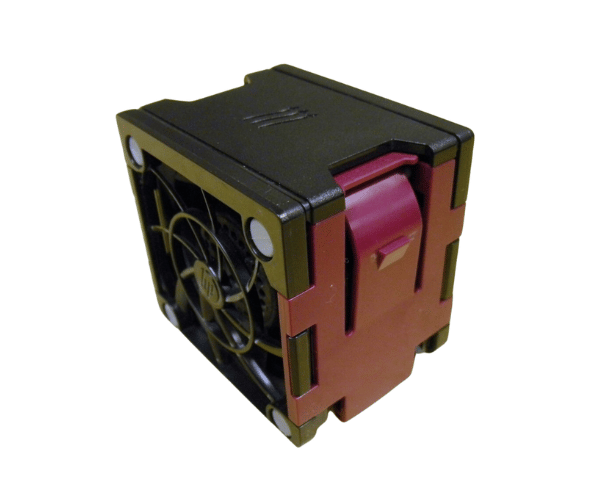
HP 662520-001 Fan for DL380e DL380p DL385p DL388p Gen8
The HP 662520-001 Fan is specifically designed for HP DL380e, DL380p, DL385p, and DL388p Gen8 servers. This high-performance fan ensures optimal cooling and reliability, preventing overheating and maintaining server efficiency in demanding environments.
User Experience
The HP 662520-001 Fan is highly regarded for its efficient cooling performance in HP DL380e, DL380p, DL385p&DL388p Gen8 servers. Users appreciate the fan's ability to deliver 60 CFM of airflow while maintaining a noise level of just 40 dBA, which is quiet for its class. The fan operates at a high speed of 4000 RPM, ensuring effective heat dissipation even under high server loads. Customers report that the HP 662520-001 Fan is easy to install and significantly improves server stability and performance by preventing overheating.
Why Choose the HP 662520-001 Fan?
Choosing the
HP 662520-001 Fan for your HP DL380e, DL380p, DL385p-388p Gen8 servers is a wise decision for maintaining optimal server performance. This fan provides robust cooling with its 60 CFM airflow and operates efficiently at 4000 RPM. Its quiet operation at 40 dBA ensures minimal disruption, making it ideal for noise-sensitive environments. The HP 662520-001 Fan is designed for easy installation and reliable performance, helping to prevent overheating and extend the life of your servers.
Key Features
- High Airflow: Delivers 60 CFM to ensure effective cooling.
- Quiet Operation: Runs at 40 dBA, minimizing noise.
- High Speed: Operates at 4000 RPM for optimal heat dissipation.
- Easy Installation: Comes with a 4-pin connector for straightforward setup.
- Reliable Performance: Designed for HP DL380e, DL380p, DL385p, and DL388p Gen8 servers.
Installation Steps
- Power Down: Turn off your HP DL380e, DL380p, DL385p, or DL388p Gen8 server and disconnect it from the power source.
- Open the Server Case: Remove the cover or panel to access the internal components.
- Locate the Fan Slot: Identify the slot for the HP 662520-001 Fan.
- Remove Existing Fan: Disconnect and carefully remove any old fan module if present.
- Install New Fan: Position the HP 662520-001 Fan into the slot and secure it as needed.
- Connect the Power: Attach the 4-pin connector to the corresponding motherboard port.
- Close the Server Case: Replace and secure the server cover or panel.
- Power On: Reconnect the server to the power source and turn it on to ensure the new fan is functioning correctly.