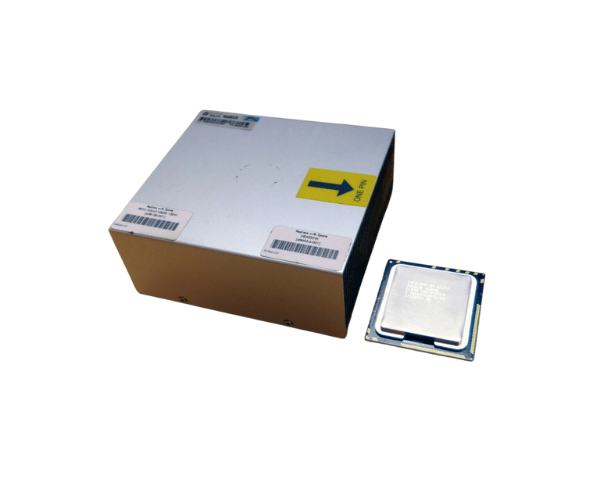
HP 633410-L21 X5690 3.46GHz 12MB 6-Core Processor Kit for DL380 G7
The
HP 633410-L21 X5690 3.46GHZ 12MB 6C Processor Kit is a powerful processor designed for the
HP ProLiant DL380 G7 server. Featuring six cores, 12MB of cache, and a clock speed of 3.46GHz, it ensures high performance and efficiency, making it ideal for enterprise-level workloads and demanding applications.
User Experience
The
HP 633410-B21 Intel X5690 3.46GHz/12MB 6-Core CPU offers users a smooth and efficient experience. With six cores and hyper-threading capabilities, it excels in multitasking, handling virtualization, and running complex applications simultaneously. Users have reported significant improvements in server performance, particularly in data processing, database management, and virtualization workloads. The processor's turbo boost feature enhances performance during peak loads, ensuring reliability even in the most demanding environments.
Why Choose the HP 633410-B21 Intel X5690 3.46GHz/12MB 6-Core CPU?
Choosing the
HP 633410-B21 Intel X5690 3.46GHz/12MB 6-Core CPU ensures you’re investing in a high-performance, reliable, and energy-efficient processor. Its six cores and 12MB of L3 cache guarantee superior multitasking capabilities, making it ideal for enterprise workloads such as data analysis, virtualization, and cloud applications. The 3.46GHz base clock speed, paired with Intel's Turbo Boost technology, ensures your server operates smoothly during intensive tasks. With support for DDR3 memory, it enhances overall system efficiency, making the
HP 633410-B21 Intel X5690 3.46GHz/12MB 6-Core CPU a top choice for businesses looking to boost their HP ProLiant DL380 G7 server’s performance.
Installation Steps
- Power down the HP ProLiant DL380 G7 server and disconnect it from any power sources.
- Open the server chassis and identify the CPU socket on the motherboard.
- Carefully release the locking mechanism for the CPU socket.
- Carefully remove the old processor, if present, by lifting it out of the socket.
- Insert the HP 633410-B21 Intel X5690 3.46GHz/12MB 6-Core CPU into the socket, ensuring proper alignment of the pins.
- Secure the CPU by closing the locking mechanism.
- Apply a layer of thermal paste to the surface of the CPU.
- Reinstall the CPU cooler or heat sink over the processor.
- Close the server chassis and reconnect the power supply.
- Power on the server and verify that the new CPU is recognized during boot-up.