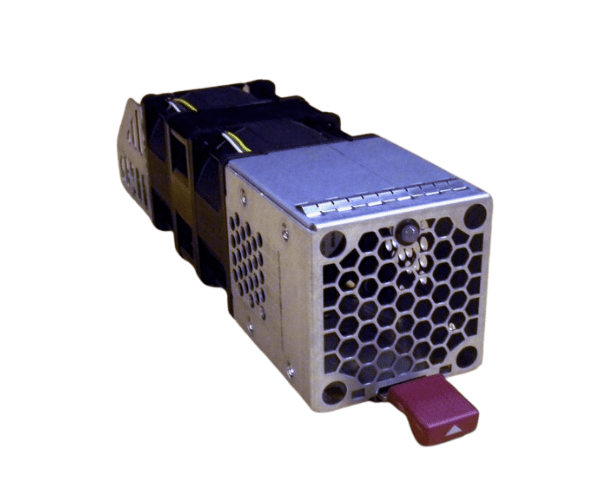
HP 519325-001 Fan Module for D2600 D2700 Disk Enclosure
The HP 519325-001 Fan Module for D2600 D2700 Disk Enclosure cool and operating smoothly. Designed to ensure efficient airflow, this fan module prevents overheating and maintains optimal performance. Reliable cooling extends the lifespan of your equipment and ensures consistent operation.
User Experience
Users of the HP 519325-001 Fans Module for the D2600 and D2700 Disk enclosures often highlight its effectiveness in providing robust cooling. The 80mm fan operates at a high speed of 6000 RPM, delivering an airflow of 40 CFM to keep critical components cool. Despite its powerful performance, the fan maintains a low noise level of 35 dBA, contributing to a quieter working environment. The installation process is straightforward, allowing users to replace or upgrade their fan module with minimal effort.
Why Choose the HP 519325-001 Fan Module?
The
HP 519325-001 Fan Module is specifically engineered for HP D2600 and D2700 Disk Enclosures, making it the ideal choice for maintaining efficient cooling in these systems. The HP 519325-001 Fan Module stands out due to its high-speed performance, effective airflow, and quiet operation. It ensures that your disk enclosure remains at optimal temperatures, preventing potential overheating issues and extending the life of your hardware. Choosing the HP 519325-001 Fan Module means opting for a reliable cooling solution that seamlessly integrates with your existing setup.
Key Features
- High-Speed Cooling: Operates at 6000 RPM, delivering effective cooling for your disk enclosure.
- Efficient Airflow: Provides 40 CFM of airflow to keep critical components cool.
- Low Noise Operation: Runs at a quiet 35 dBA, ensuring minimal disturbance in your environment.
- Easy Integration: Designed specifically for HP D2600 and D2700 Disk Enclosures, ensuring perfect compatibility.
- Straightforward Installation: The 3-pin connector and simple design make installation or replacement quick and easy.
Installation Steps
- Power Down the Enclosure: Ensure the disk enclosure is turned off and disconnected from any power source.
- Open the Enclosure: Remove the cover or access panel of the HP D2600 or D2700 Disk Enclosure.
- Locate the Fan Slot: Identify the slot where the HP 519325-001 Fan Module will be installed.
- Remove Old Fan Module: Disconnect and remove the old fan module if replacing an existing one.
- Install New Fan Module: Place the HP 519325-001 Fan Module into the designated slot and secure it.
- Connect the Fan: Attach the 3-pin connector to the appropriate header on the disk enclosure.
- Reassemble the Enclosure: Put the cover or access panel back on.
- Power On the Enclosure: Reconnect the power and turn on the disk enclosure to ensure the new fan is functioning properly.