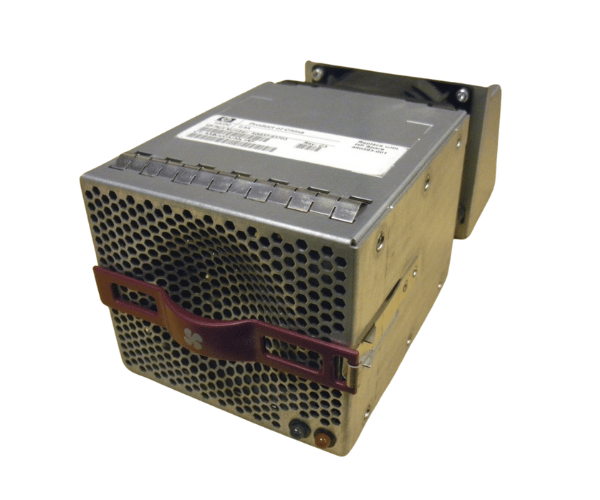
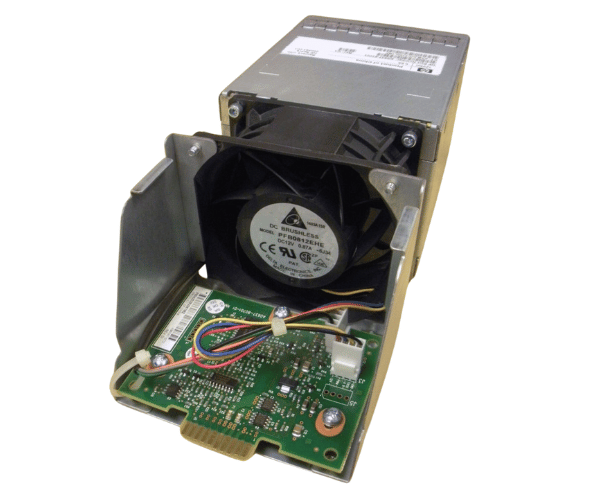
HP 460583-001 AG637-63703 Array Fan Module Assembly for EVA4400 and EVA P6000 Series
The HP 460583-001 AG637-63703 Array Fan Module Assembly is designed to provide efficient cooling for HP EVA4400 and EVA P6000 Series storage systems. This high-performance fan module ensures optimal airflow, helping to maintain stable operating temperatures and prevent overheating in demanding data storage environments.
User Experience
The HP 46 0583-001 AG637-637 03 Array Fan Module Assembly is highly regarded for its reliable cooling capabilities in HP EVA4400 and EVA P6000 Series storage systems. Users appreciate the fan module's ability to maintain consistent airflow, which helps to prevent thermal issues and enhance system stability. The efficient design and quiet operation ensure that data centers remain cool and operational without excessive noise. Easy to install and maintain, the HP 460583-001 AG637-63703 Array Fan is a preferred choice for professionals seeking dependable cooling solutions.
Why Choose the HP 460583-001 AG637-63703 Fan Module Assembly?
The
HP 460583-001 AG637-63703 Array Fans Module Assembly is the ideal choice for your HP EVA4400 and EVA P6000 Series storage systems due to its tailored design and high-performance cooling capabilities. The HP 460583-001 AG637-63703 Array Fan Module ensures optimal airflow, which is crucial for preventing overheating and maintaining the integrity of your data storage. With its reliable operation and efficient cooling, the HP 460583-001 AG637-63703 Arrays Fan Module Assembly provides a solution that helps extend the lifespan of your storage hardware while supporting peak performance.
Key Features
- High Airflow: The HP 460583-001 AG637-63703 Array Fan Modules Assembly delivers up to 90 CFM to ensure effective cooling.
- Quiet Operation: Operates at a noise level of 35 dBA, minimizing disruption in your data center.
- Efficient Design: Built to fit HP EVA4400 and EVA P6000 Series systems for precise cooling.
- Easy Installation: Comes with a 4-pin connector for straightforward setup.
- Durable Construction: Engineered for long-term use, ensuring reliable performance.
Installation Steps
- Power Down: Turn off your HP EVA4400 or EVA P6000 Series storage system and disconnect it from the power source.
- Open the Storage System: Remove the cover or access panel to reach the internal components.
- Locate the Fan Slot: Identify the slot for the HP 460583-001 AG637-63703 Array Assembly.
- Install the Fan Module: Place the HP 460583-001 AG637-63703 Fan Assembly into the slot and secure it with screws if needed.
- Connect the Power: Attach the 4-pin connector to the corresponding motherboard port.
- Close the Storage System: Reattach the cover or panel of the storage system.
- Power On: Reconnect the power source and turn on the storage system to verify that the fan module is working correctly.