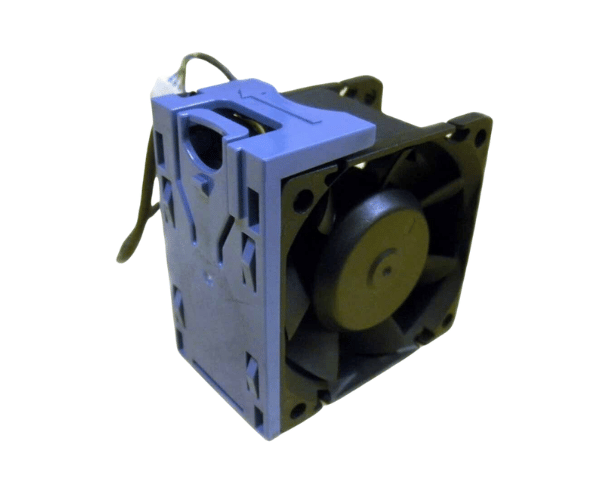
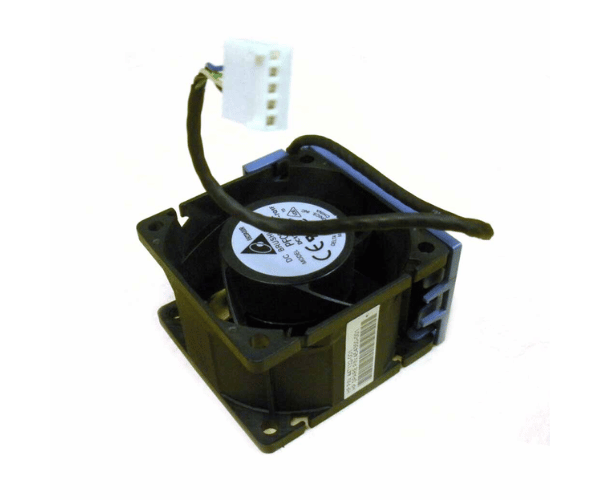
HP 454350-001 447132-001 System Fan for DL180 G5 and DL185 G5
The HP 454350-001 447132-001 System Fan ensure efficient cooling for HP DL180 and DL185 G5 servers. This essential cooling component ensures efficient airflow, prevents overheating and maintains system stability. The HP System Fan helps keep your server running smoothly and efficiently.
User Experience
Users of the HP 454350-001 447132-001 Fan appreciate its reliable performance in cooling their HP DL180 and DL185 G5 servers. The fan ensures consistent airflow, which helps prevent overheating and maintains server efficiency. Customers have reported that the HP 454350-001 447132-001 is easy to install and operates quietly, making it an ideal choice for both office and data center environments. The robust build and dependable cooling make the HP System Fan a trusted component for maintaining optimal server performance.
Why Choose the HP 454350-001 447132-001 System Fan?
The
HP 454350-001 447132-001 Fan is an excellent choice for HP DL180 and DL185 G5 servers due to its superior cooling performance and reliability. By selecting the HP 4543 50-001 447132-001, you ensure that your server remains cool even under high loads, reducing the risk of overheating and potential hardware damage. The fan is designed for easy installation and integrates seamlessly into the server chassis. Its low noise operation ensures a quieter working environment, making the HP 454350-001 447132-001 Fan a valuable addition to your server maintenance strategy.
Key Features
- Efficient Cooling: Provides effective airflow to prevent server overheating.
- Reliable Performance: Ensures consistent cooling under varying server loads.
- Durable Construction: Crafted from premium materials for extended durability.
- Low Noise Operation: Operates quietly to maintain a calm work environment.
- Easy Installation: Designed for straightforward setup in HP DL180 and DL185 G5 servers.
Installation Steps
- Power Down the Server: Turn off the server and disconnect it from all power sources to ensure safety.
- Open the server chassis: Remove the server cover or access panel to access the internal components.
- Locate the Existing Fan: Identify the location of the old fan assembly within the server.
- Remove the Old Fan: Disconnect and carefully remove the existing fan from its mounting position.
- Install the HP 454350-001 and 447132-001 fans: Place the HP 45 4350-001 447132-001 Systems Fan into the designated slot and secure it with screws or clips.
- Reassemble the Server: Reattach the cover or access panel and reconnect all power sources.
- Verify Operation: Power on the server and ensure that the HP 454350-001 447132-001 fan is functioning properly and providing adequate cooling.