About the Google Nest Thermostat - Smart Thermostat for Home
The
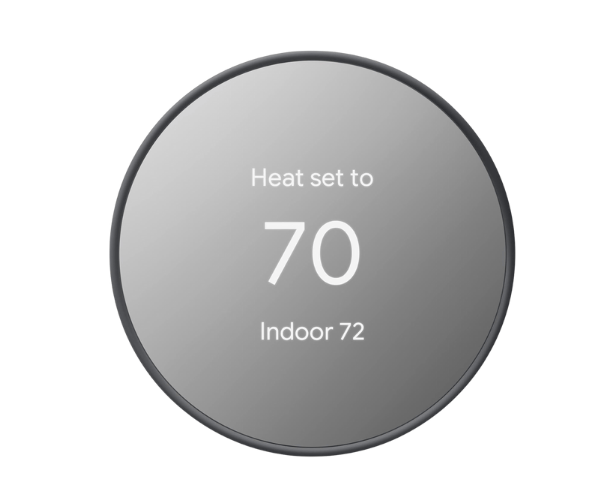
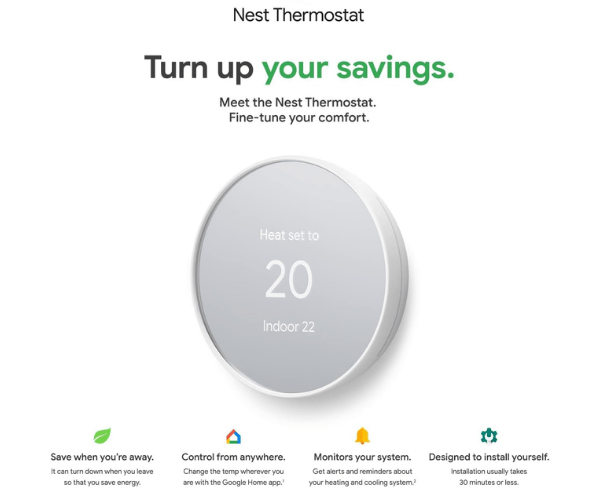
Google Nest Thermostat - Smart Thermostat for Home will help you save energy while keeping your home comfortable. Sleek in design, easy to install, and energy-saving, it automatically adjusts the temperature to your preference. Control it remotely via the Google Home app for added convenience.
Specification
| Feature |
Details |
| Brand |
Google |
| Model |
Nest Thermostat |
| Display |
Digital Touchscreen |
| Temperature Control |
Auto-schedule, Remote Control |
| Power Source |
Battery-powered (with C wire support) |
| Compatibility |
Google Assistant, Smart Home |
| Connectivity |
Wi-Fi, Bluetooth |
| Energy Saving Features |
Eco Mode, Energy Reports |
| Size |
3.3 x 3.3 x 1.0 inches |
| Weight |
0.3 lbs |
| Color Options |
Snow, Charcoal |
| Sensors |
Motion, Ambient Light |
| Smart Home Integration |
Yes, with Google Home and Assistant |
Description
Google Nest Thermostat - Smart Thermostat for Home in Bangladesh
The
Google Nest Thermostat - Smart Thermostat for Home is available in Bangladesh through popular online platforms and local electronics retailers. This thermostat will be a demanded product for any homeowner who looks to optimize the energy usage while keeping comfort intact. It offers modern features that appeal to the tech-savvy user in Bangladesh, where energy efficiency is becoming important.
User Experience of Google Nest Thermostat
The users of the
Google Nest Thermostat - Smart Thermostat for Home reported that setup was easy, often within 30 minutes. It also features a very responsive digital touchscreen that makes quick work of adjusting settings. Many praise its energy-saving features, especially the auto-schedule function, which learns your preferences and automatically adjusts the temperature. This is made easy through the remote control feature via the Google Home app, whereby one can easily adjust the thermostat when away from home for comfort upon return. It also provides detailed energy reports to help users understand where they can cut back on their energy usage.
Why Choose the Google Nest Thermostat - Smart Thermostat for Home?
What makes the
Google Nest Thermostat-Smart Thermostat for Home unique is the brilliant combination of sophistication with simplicity and energy efficiency. This would be an ideal device for those people who seek a thermostat that will learn their preferences and adjust to their lifestyles automatically. Because Google Home and Google Assistant integrate in such a smooth way, this can be commanded with your voice from across the room without having to rise. Sleek in design, further combined with energy-saving modes, it fits into your house without fuss and helps you reduce the electricity bill. In addition, convenience is catered for by remote controlling through Google Assistant for voice-activated temperature adjustments that balance comfort with energy savings.
Key Features
- Auto-schedule: It learns your schedule to set the temperature for automatic savings.
- Remote Control: Adjust your thermostat from anywhere using the Google Home app or with your voice.
- Energy-Saving Mode: Eco mode helps in managing and optimizing energy consumption to reduce electricity bills.
- Easy Installation: Quick setup; simple directions, most users complete installation in less than 30 minutes.
- Voice Control: Works with Google Assistant for voice-activated temperature control.
- Energy Reports: You will get detailed insights into your energy usage to help you reduce it.
- Smart Home Integration: Works seamlessly with Google Home and other smart devices to create a connected home experience.
- Sleek Design: Compact and minimalist in design to go with any house design.
Installation Steps of Google Nest Thermostat
- Turn Off Power: Make sure power to your HVAC system is off before commencing.
- Remove Old Thermostat: First, disconnect the old thermostat; note the wire connections to refer to.
- Install the Base Plate: Using the included screws, attach the base plate of the Nest Thermostat to the wall.
- Connect Wires: Hook up the wires from your old system to the new thermostat, per its corresponding labels.
- Attach the Thermostat: Click the Google Nest Thermostat - Smart Thermostat for Home onto the base plate.
- Power On: Turn the power back on and follow any in-setup instructions.
- Connect to Wi-Fi: Go through the Google Home app and connect your thermostat to your network for other settings.
- Set Preferences: Once installed, set your schedule, set your preferences in temperature, and turn on energy-saving features.
Where Can Google Nest Thermostat Be Used?
The
Google Nest Thermostat - Smart Thermostat for Home will be perfect for any residential home or small office. Place this in your living room, kitchen, or bedroom to maintain a comfortable temperature throughout the day. It can also be installed in vacation homes or apartments to keep the environment energy-efficient until you return. It is also compatible with Google Home, so it would be great to set up a smart home where you could control all devices from one platform. The thermostat is versatile enough to work in various environments, offering both functionality and energy savings.
What is the Price of the Google Nest Thermostat - Smart Thermostat for Home in Bangladesh?
The latest price of
Google Nest Thermostat - Smart Thermostat for Home in Bangladesh depends on quantity.
Crystal Vision Solution ensures this Thermostat has the best market price in Bangladesh. Our product is 100% original and lowest price in Bangladesh. All kinds of services are the best in Bangladesh, and contact us for any information and latest price.