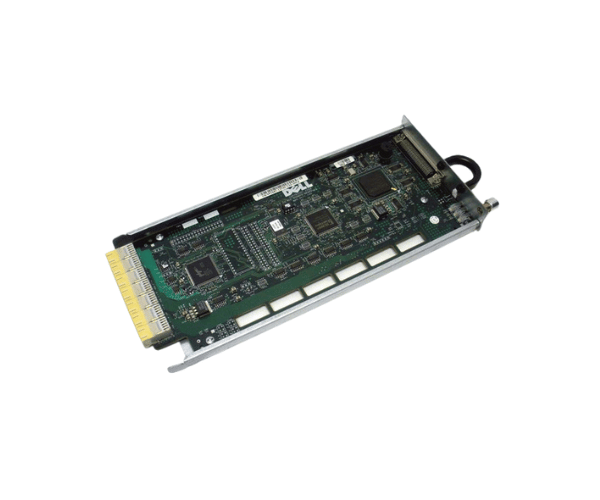
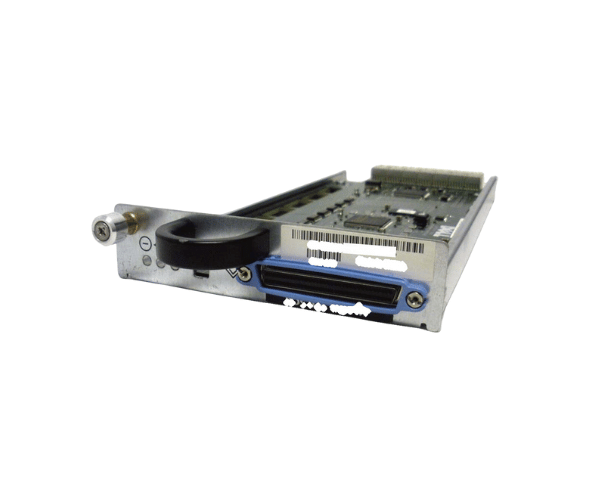
Introduction of Dell Y1987 J2038 Ultra 320 SCSI Controller Module
The
Dell Y1987 J2038 Ultra 320 SCSI Controller Module is a high-performance solution designed to enhance data transfer capabilities in server environments. This controller module is ideal for businesses that require fast and reliable data access. With its advanced features, the Dell Y1987 J2038 ensures optimal performance for your storage needs. It is perfect for applications that demand high throughput and efficient data management, making it a valuable addition to any server setup.
Why Choose the Dell Y1987 J2038 Ultra 320 SCSI Controller Module?
Choosing the
Dell Y1987 J2038 Ultra SCSI Controller Module is a smart decision for businesses looking to optimize their data handling capabilities. This controller module not only boosts data transfer rates but also enhances the overall efficiency of your server. With its robust design and compatibility with a range of Dell PowerEdge servers, it ensures seamless integration into existing systems. The Dell Y1987 J2038 offers exceptional performance and reliability, making it an ideal choice for mission-critical applications.
User Experience
Users have reported significant improvements in data access speeds after installing the
Dell Y1987 Ultra 320 SCSI Controller Module. Its installation process is straightforward, allowing even those with limited technical skills to set it up without hassle. The module has proven to be stable and reliable, providing consistent performance over time. Many users appreciate its ability to handle multiple devices simultaneously, enhancing productivity and efficiency in data-intensive environments.
Detailed Breakdown of Features
The
Dell J2038 Ultra 320 SCSI Controller Module offers several advanced features that contribute to its performance. The controller supports the Ultra 320 SCSI interface, which allows for high-speed data transfers of up to 320 MB/s. This is particularly beneficial for applications that require quick access to large datasets. The module's 64 MB cache memory enhances data throughput, enabling faster read and write operations. Additionally, it supports up to 15 storage devices, providing ample connectivity options for expanding storage needs. Its PCI-X form factor ensures compatibility with a wide range of Dell servers, making it a versatile choice for various server configurations.
Installation Steps
- Turn Off the Server: Make sure to completely shut down the server before starting the installation process.
- Remove the Server Cover: Carefully detach the server cover to access the internal components.
- Find an Available PCI-X Slot: Look for an open PCI-X slot on the motherboard where you will install the controller module.
- Insert the Controller Module: Place the Dell J2038 into the PCI-X slot, pushing down firmly until it fits snugly.
- Secure the Server Cover: Replace the server cover, making sure it is properly aligned and secured.
- Restore Power: Reconnect the power supply and turn the server back on.
Where It Can Be Used?
The
Dell Y1987 J2038 320 SCSI Controller Module is ideal for various environments, including data centers, enterprise storage systems, and small to medium-sized businesses. It is well-suited for applications requiring high-speed data transfers, such as database management, file servers, and backup solutions. Organizations looking to enhance their server performance and storage capabilities will find this controller module highly beneficial.