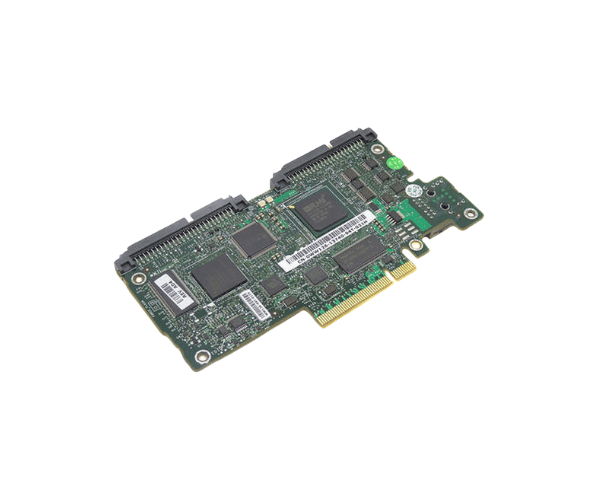
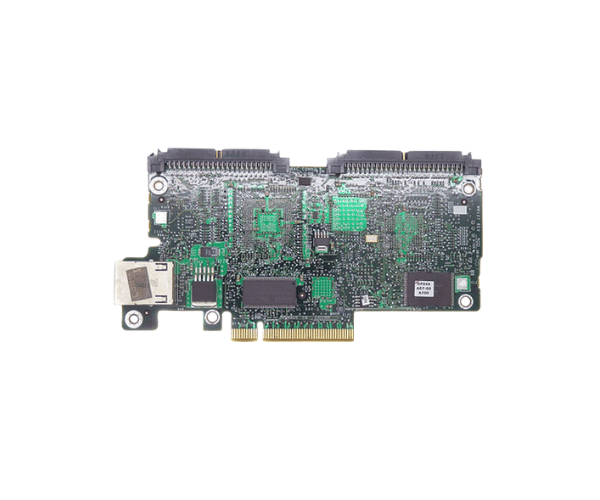
Introduction of Dell WW126 PowerEdge DRAC 5 Remote Access Management Controller
The Dell WW126 PowerEdge DRAC 5 Remote Access Management Controller Card is a cutting-edge solution for remote server management. This controller card is designed to enhance the management capabilities of Dell PowerEdge servers, enabling IT administrators to monitor and control their systems efficiently from virtually anywhere. With features focused on security and usability, the DRAC 5 is essential for maintaining optimal server performance and reliability in diverse IT environments.
Why Opt the Dell WW126 PowerEdge DRAC 5 Remote Access Management Controller?
Selecting the Dell WW126 DRAC 5 Remote Access Management Controller Card brings numerous advantages for IT management. This card provides robust remote access features, allowing administrators to monitor server health and status in real time. It enables remote troubleshooting, reducing the need for physical presence at the server location and minimizing downtime. The built-in security features, such as SSL encryption and IP filtering, help safeguard sensitive data and ensure that only authorized users can access management functions. Overall, the DRAC 5 enhances operational efficiency and productivity.
User Experience
Users have praised the Dell WW126 PowerEdge DRAC 5 for its user-friendly interface and reliable performance. Many find the setup process intuitive, allowing for a smooth integration into existing systems. The ability to manage multiple servers remotely has been highlighted as a significant advantage, particularly in large organizations where IT staff must oversee numerous systems. Additionally, users appreciate the detailed logging and alerting features, which provide valuable insights into server health and activity.
Detailed Breakdown of Features
The Dell WW126 PowerEdge Remote Access Management Controller Card offers a variety of features that enhance server management capabilities. It supports remote access through a web interface, making it easy to monitor and manage servers from any location. The controller card is equipped with advanced security measures, ensuring that only authorized personnel can access critical server functions. It is compatible with a wide range of Dell PowerEdge servers, making it a versatile option for businesses. With Ethernet support, users can connect to the network easily, while the ARM processor and flash memory ensure smooth operation.
Installation Steps
- Power Down the Server: Begin by shutting down the server and disconnecting the power source.
- Locate the PCI Slot: Open the server chassis and find an available PCI slot.
- Insert the Controller Card: Carefully insert the Dell DRAC 5 into the PCI slot, ensuring a secure fit.
- Secure the Controller Card: Use the screws provided to fix the controller card in place.
- Reconnect Power: Plug the server back into the power source and power it on.
- Set Up the Controller: Navigate to the management interface to adjust the settings of the DRAC to fit your requirements.
Where It Can Be Used?
The
Dell PowerEdge DRAC 5 Remote Access Management Controller Card is suitable for various applications, particularly in data centers, enterprise IT environments, and organizations requiring remote server management capabilities. It is beneficial for sectors such as finance, healthcare, and e-commerce, where maintaining high uptime and quick response to issues is crucial. The ability to manage servers remotely enhances operational efficiency, making it an essential tool for IT professionals.