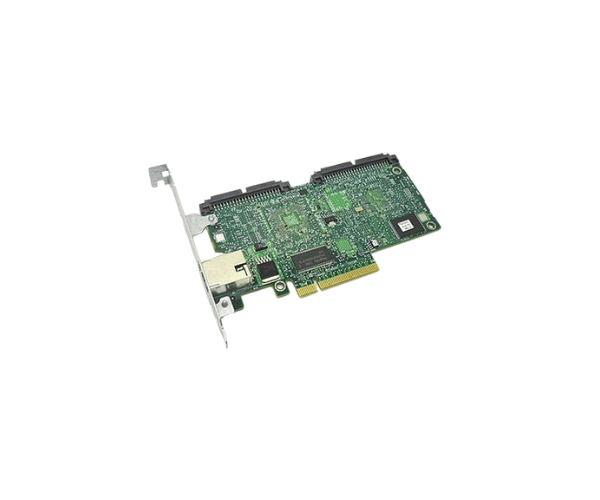
Introduction of Dell TP766 DRAC 5 Remote Access Management Controller Card
The Dell TP766 DRAC 5 Remote Access Management Controller Card provides essential remote management capabilities for Dell servers. This powerful controller allows administrators to manage their servers from anywhere, ensuring that they can maintain system performance and security without being physically present. With its robust features and ease of use, the Dell TP766 DRAC 5 enhances operational efficiency and helps businesses minimize downtime.
Why Choose the Dell TP766 DRAC 5 Remote Access Management Controller Card?
Choosing the Dell TP766 Remote Access Management Controller Card means opting for reliability and advanced features. This product provides seamless remote management capabilities, allowing IT administrators to monitor server health, perform updates, and troubleshoot issues without needing physical access. With this controller, users can ensure their server operations run smoothly, making it an indispensable tool for businesses that rely on their IT infrastructure.
User Experience
Users consistently report high satisfaction with the Dell TP766 DRAC 5 Remote Access Controller Card. They appreciate its intuitive interface and the ability to access their servers remotely. This capability not only simplifies server management but also enhances productivity. The card’s secure connection protocols provide peace of mind, knowing that data remains safe during remote access.
Detailed Breakdown of Features
The Dell TP766 DRAC 5 Remote Access Controller Card is packed with advanced features that improve server efficiency. It offers a dedicated management port, ensuring that remote access does not interfere with regular network traffic. With support for multiple management protocols like IPMI and SSH, users can choose their preferred method for server communication. The card also includes security features to protect sensitive information, allowing secure login and data transmission. Its low power consumption contributes to overall energy efficiency, making it a cost-effective solution for server management.
Installation Steps
- Gather Required Tools: Ensure you have the necessary tools, including a screwdriver and any required screws.
- Power Down the Server: Shut down the server properly to avoid any data loss.
- Open the Server Chassis: Remove the server cover according to the manufacturer's instructions.
- Locate the PCI Slot: Identify an available PCI or PCIe slot on the motherboard.
- Insert the Controller Card: Carefully insert the Dell DRAC 5 card into the slot until it fits securely.
- Secure the Card: Use screws to secure the controller card to the chassis.
- Reconnect Power and Start the Server: Close the server cover and reconnect the power supply, then turn the server back on.
- Configure the Card: Access the controller settings through the server management interface to complete the setup.
Where It Can Be Used?
The
Dell TP766 DRAC 5 Remote Access Controller Card is ideal for various environments, including data centers, corporate IT departments, and remote server farms. It serves businesses that require constant server monitoring and management capabilities without physical access. Its features make it suitable for both small and large organizations looking to streamline their IT management processes.