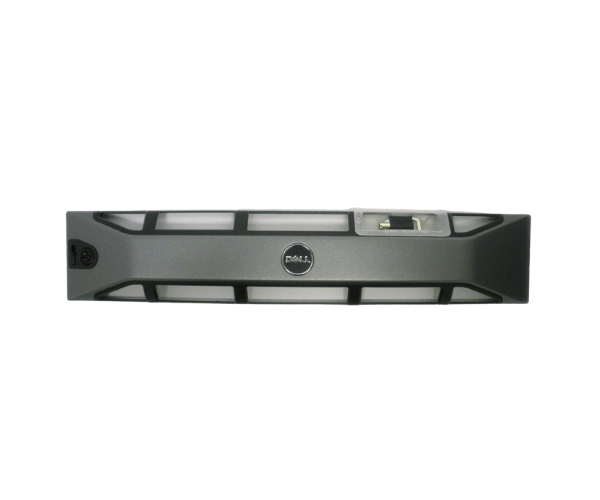
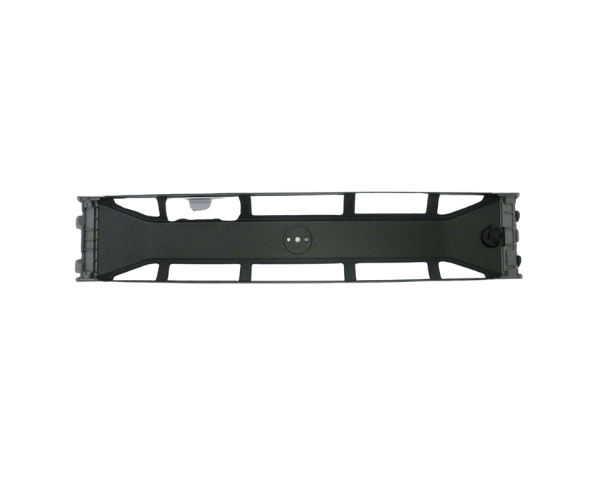
The
Dell TFV72 Front Bezel Faceplate is an essential accessory designed to enhance the security and aesthetics of your Dell server. This high-quality bezel provides effective protection for your server’s internal components while maintaining optimal airflow and cooling. With a sleek design, the Dell TFV72 adds a professional touch to your server setup.
Dell TFV72 Front Bezel Faceplate in Bangladesh
The Dell TFV72 Bezel Faceplate is easily accessible in Bangladesh. You can find it in local computer hardware stores or through reputable online retailers that specialize in Dell server parts. This availability ensures that customers can easily access this product for their server needs.
Why Choose the Dell TFV72 Front Bezel?
Choosing the
Dell TFV72 Front Bezel means investing in both security and style for your server. This product not only protects your server’s internal components from dust and unauthorized access but also enhances the overall look of your setup. The key-lock mechanism adds an extra layer of security, giving you peace of mind. With its easy installation process and durable materials, the Dell TFV72 is a reliable choice for anyone looking to upgrade their server's functionality and appearance.
User Experience of Dell TFV72 Bezel Faceplate
Users of the
Dell TFV72 Bezel Faceplate have expressed satisfaction with its performance and design. Many appreciate the ease of installation, which allows them to secure their servers without the need for specialized tools. The key-lock mechanism has been particularly praised for providing enhanced security, ensuring that sensitive internal components are well-protected. Additionally, the sleek design complements the overall aesthetics of the server, making it a popular choice among IT professionals and businesses alike.
Detailed Breakdown of Features
- Durable Design: Constructed with premium plastic for extended durability.
- Security Features: Equipped with a key-lock mechanism to prevent unauthorized access.
- Easy Installation: Designed for a tool-free setup, allowing for quick and hassle-free installation.
- Sleek Design: Offers a modern and professional look that enhances your server’s appearance.
- Optimal Airflow: Designed to maintain airflow and cooling for your server components.
- Perfect Fit: Tailored dimensions ensure a snug fit on compatible Dell PowerEdge servers.
- Lightweight: Facilitates easy handling and installation.
- Enhanced Protection: Shields internal components from dust and debris.
- Versatile Compatibility: Compatible with various models of Dell PowerEdge servers.
- Cost-Effective: An affordable solution to upgrade your server’s security and aesthetics.
Installation Steps for Dell TFV72 Bezel Faceplate
- Power Off the Server: Ensure that your server is completely powered off and unplugged for safety.
- Prepare the Bezel: Unbox the Dell TFV72 Bezel Faceplate and inspect it for any damage.
- Align the Bezel: Position the bezel in front of the server, ensuring proper alignment with the mounting points.
- Secure the Bezel: Press firmly until the bezel snaps into place, ensuring a secure fit.
- Lock the Bezel: Use the key provided to lock the bezel, securing your server’s internal components.
Where Dell TFV72 Front Bezel Can Be Used?
The
Dell TFV72 Front Bezel is ideal for use in various settings, including:
- Data Centers: Protects servers in high-density environments from dust and unauthorized access.
- Office Environments: Enhances the appearance and security of servers used for business operations.
- Home Servers: Provides a professional look and additional security for personal server setups.
- Remote Locations: Suitable for servers installed in locations where security is a concern.