The
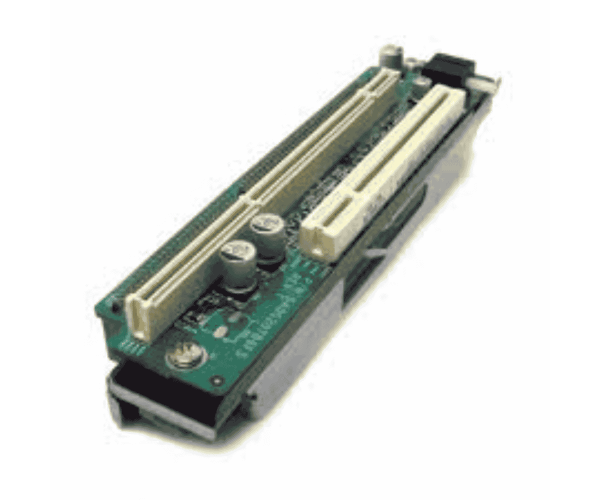
Dell RFY9N Riser 1 PCI Card enhances your server's performance by providing additional PCI slots. This versatile card allows seamless integration of various expansion cards, making it an essential upgrade for those looking to boost their server's capabilities and functionality.
Dell RFY9N Riser 1 PCI Card in BD?
The
Dell RFY9N Card is readily available in Bangladesh through various computer hardware stores and online platforms. This accessibility enables users to upgrade their server capabilities effectively and boost overall performance effortlessly.
User Experience
Users have shared favorable experiences with the
Dell RFY9N Card. Many value its simple installation process and the noticeable performance boosts it provides. The card's simplicity in adding extra hardware makes it a popular choice for those looking to improve their server's capabilities.. IT professionals frequently commend its reliability and effectiveness across various server environments.
Why Choose the Dell RFY9N Riser 1 PCI Card?
Opting for the
Dell RFY9N Riser Card is a smart investment for anyone seeking to improve their server's performance. This riser card supports various expansion cards, offering flexibility and adaptability for customized server setups. Its quality and performance make it an invaluable asset for businesses aiming to optimize their IT infrastructure.
Key Features
- Versatile Expansion: Supports a single PCI slot for various hardware options.
- Easy Installation: Designed for a user-friendly setup, making upgrades simple.
- Durable Construction: Built to meet Dell’s quality standards for long-lasting performance.
- Performance Enhancement: Improves server capabilities by allowing the integration of extra hardware.
- Compatibility: Works seamlessly with select Dell server models.
Installation Steps
- Preparation: Shut down the server and disconnect all cables.
- Open the Chassis: Utilize the proper tools to gently access the server's chassis.
- Locate the Slot: Identify the designated area on the motherboard for the riser card.
- Insert the Riser Card: Position the Dell RFY9N Riser Card in the slot and gently push it in until securely fitted.
- Reconnect Components: Close the chassis and reconnect all previously removed cables.
-
Power Up: Turn on the server and check that the new hardware is detected.
Where it Can Be Used?
The
Dell RFY9N Riser Card is perfect for data centers, enterprise settings, and businesses that require improved server capabilities. It is especially beneficial for tasks related to virtualization, database management, and high-performance computing.



-70x60h.png "Dell 0VG0Y PCI PowerEdge R440/R540 Riser Card")


