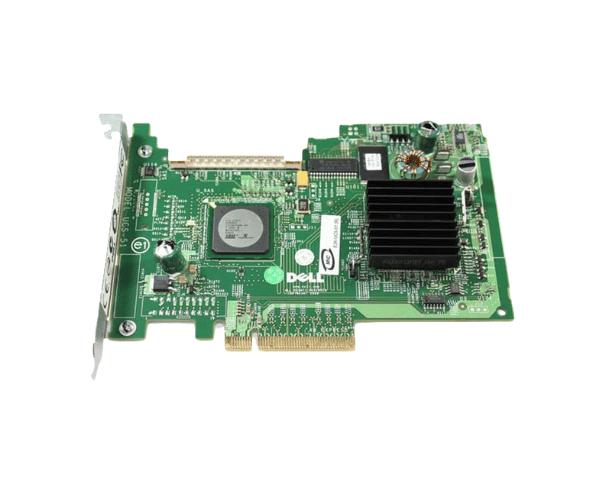
Introduction of Dell RD996 SAS 5/iR PCIe SAS/SATA RAID Controller Card
The Dell RD996 SAS 5/iR PCIe SAS/SATA RAID Controller Card offers a powerful solution for managing storage in Dell servers. This card delivers strong performance and ensures data protection. It is an ideal choice for businesses that need reliable data storage management. The Dell RD996 RAID controller enhances system reliability and simplifies storage tasks. It ensures your data remains secure and readily available.
Why Choose the Dell RD996 SAS 5/iR PCIe SAS/SATA RAID Controller Card?
Choosing the
Dell RD996 SAS 5/iR PCIe SAS SATA RAID Controller Card provides several advantages for your data management needs. This controller ensures enhanced performance and data integrity with support for multiple RAID levels. By selecting this product, you gain a reliable solution that simplifies storage management and offers advanced features like data redundancy and fault tolerance. The Dell RD996 RAID controller is particularly beneficial for businesses seeking to optimize their server performance while maintaining a secure data environment.
User Experience
Users have praised the
Dell RD996 SAS 5/iR PCIe SAS SATA RAID Controller Card for its straightforward installation process and seamless integration with Dell servers. Many appreciate the intuitive interface that makes managing RAID configurations easy and efficient. The performance improvements seen after installation, along with the increased reliability of data storage, make this product a popular choice among IT professionals. Overall, users find that the Dell RD996 meets their needs for effective and secure data management.
Detailed Breakdown of Features
The
Dell RD996 SAS 5/iR PCIe SAS SATA RAID Controller Card comes equipped with several features that enhance its functionality. Its PCIe interface allows for high-speed data transfers, ensuring that your storage operations run smoothly. With support for various RAID configurations, including RAID 0, 1, 5, and 10, this controller provides the flexibility to choose the best setup for your business. Additionally, it allows for the connection of up to eight storage devices, making it suitable for environments with substantial storage demands. The RAID controller also includes advanced error recovery features, enhancing data integrity and reliability. These capabilities make the Dell RD996 a valuable addition to any server setup.
Installation Steps
- Power Down the Server: Completely shut down the server and disconnect it from the power source.
- Open the Server Chassis: Carefully remove the cover of the server chassis to access the motherboard.
- Locate the PCIe Slot: Find an available PCIe slot on the motherboard for the RAID controller installation.
- Insert the Controller: Gently push the Dell SAS 5/iR into the PCIe slot until it clicks securely into place.
-
Secure the Controller: Firmly attach the controller using screws to ensure it is stable and does not move during operation.
- Reconnect Power: Attach the power cables back to the server.
- Close the Chassis: Replace the server cover and make sure it is securely fastened.
- Boot the Server: Turn on the server and check that the RAID controller is recognized during the boot process.
Where It Can Be Used?
The
Dell RD996 SAS 5/iR PCIe SAS SATA RAID Controller Card is ideal for a range of applications. It is particularly suited for data-intensive environments such as database servers, file servers, and virtual machine hosts. Businesses that require high availability and data protection can benefit significantly from this RAID controller. It is commonly used in data centers, small to medium-sized enterprises, and any organization that prioritizes data integrity and reliability.