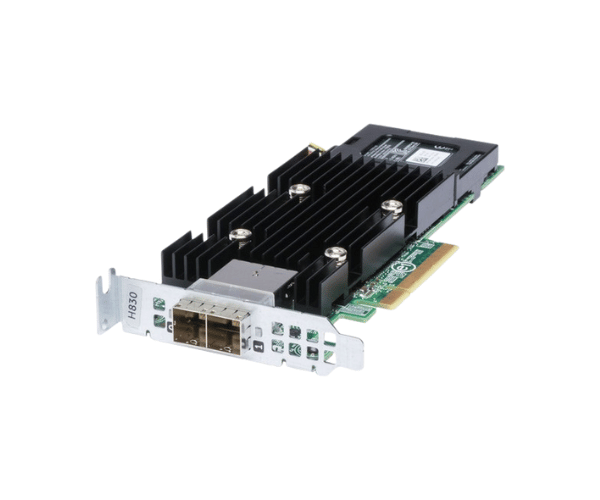
Introduction of Dell NR5PC PERC H830 SAS RAID Controller
The Dell NR5PC PERC H830 SAS RAID Controller meets the growing storage needs of modern enterprises. It's ideal for both small businesses and large data centers. This RAID controller delivers dependable performance, fast speeds, and optimal efficiency. It ensures smooth operations. By using the Dell NR5PC PERC H830 SAS RAID Controller, you can optimize data storage, reduce downtime, and boost performance.
Why Choose the Dell NR5PC PERC H830 SAS RAID Controller?
Choosing the Dell NR5PC PERC SAS RAID Controller offers several key benefits. First, it provides superior performance and reliability, ensuring your data is always secure and accessible. This product is particularly well-suited for businesses that require robust data protection and high-speed storage capabilities. With support for multiple RAID levels and a high data transfer rate, the Dell NR5PC PERC SAS RAID Controller enables you to manage large volumes of data with ease.
User Experience
Users of the Dell NR5PC PERC H830 RAID Controller report a seamless experience in both installation and operation. The controller’s intuitive interface and compatibility with various operating systems make it a versatile choice for different environments. Moreover, its advanced features ensure that even under heavy workloads, the controller maintains consistent performance, minimizing any risk of data loss or system slowdowns.
Detailed Breakdown of Features
The Dell NR5PC PERC H830 RAID Controller is packed with advanced features that cater to the needs of both small and large enterprises. The controller’s support for up to 255 SAS/SATA devices makes it ideal for scaling your storage infrastructure as your business grows. Additionally, the inclusion of multiple RAID levels offers flexibility in how you manage data redundancy and performance. The 2GB DDR3 cache ensures quick data access and improved system responsiveness, while the 12Gbps data transfer rate provides fast and efficient data handling across all connected devices.
Installation Steps
- Preparation: Power off the server and unplug it from the power source.
- Open the Server Case: Carefully remove the case cover to access the motherboard.
- Install the Controller: Insert the Dell RAID Controller into an available PCI Express slot.
- Secure the Controller: Ensure the controller is firmly seated and secure it with screws if necessary.
- Connect the Devices: Attach your SAS or SATA devices to the controller using appropriate cables.
- Power On: Close the server case, plug it back in, and power it on.
- Configuration: Use the server’s BIOS or Dell's RAID management software to configure the RAID settings.
- Verification: Ensure that all connected devices are recognized and the RAID array is functioning correctly.
Where It Can Be Used?
The
Dell PERC H830 SAS RAID Controller is versatile and can be utilized in various environments. It is particularly effective in data centers, where it can manage large-scale storage systems with high-speed data access and redundancy. This controller is also ideal for enterprise servers, providing robust data protection and efficient storage solutions. Small and medium businesses can use it to upgrade their existing storage capabilities and ensure data integrity. Additionally, it is suitable for workstations, especially for professionals who need reliable storage for demanding applications like video editing and data analysis.