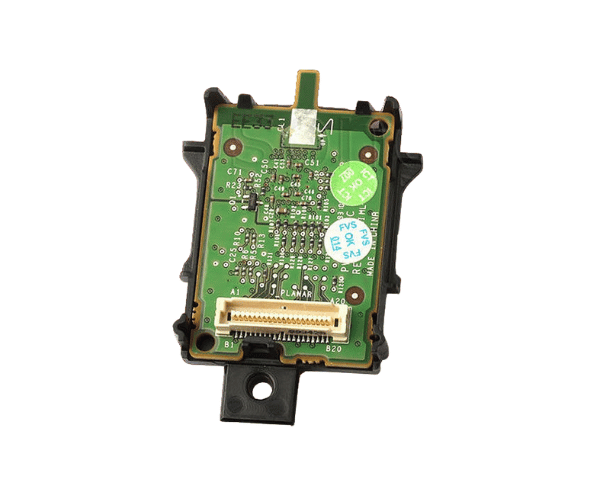
Overview of Dell JPMJ3 iDRAC6 Express Remote Access Controller
The Dell JPMJ3 iDRAC6 Express Remote Access Controller is a powerful tool designed to enhance server management and provide remote access capabilities. This controller allows system administrators to monitor, manage, and troubleshoot servers from anywhere, significantly improving operational efficiency. With its advanced features, the Dell JPMJ3 iDRAC6 Express ensures that your server infrastructure remains reliable and accessible at all times.
Why Choose the Dell JPMJ3 iDRAC6 Express Remote Access Controller?
Choosing the Dell JPMJ3 iDRAC6 Express Access Controller means opting for reliability and efficiency in server management. This product provides comprehensive remote management capabilities, enabling users to perform tasks such as power cycling, hardware monitoring, and troubleshooting from a remote location. The controller's ability to support multiple users simultaneously makes it ideal for collaborative management environments. Additionally, with features like virtual media support and advanced power management, the Dell JPMJ3 iDRAC6 Express enhances both performance and usability.
User Experience
Users appreciate the Dell JPMJ3 iDRAC6 Express for its intuitive interface and ease of use. The web-based management console allows for quick navigation and access to various features. Many users have reported reduced downtime due to the ability to perform remote troubleshooting and management tasks, which has streamlined their server operations. Furthermore, the flexibility of accessing the controller from any location adds significant value to IT teams managing multiple servers across different sites.
Detailed Breakdown of Features
The Dell JPMJ3 iDRAC6 Express Remote Controller offers a comprehensive suite of features that simplify server management. It supports a variety of remote management protocols, including IPMI 2.0, ensuring compatibility with different systems. The controller also provides a secure network interface for efficient communication. Users can access system event logs, enabling them to monitor server performance and address issues proactively. Additionally, the virtual media feature allows users to mount ISO images remotely, making installations and updates more convenient. Overall, the Dell JPMJ3 iDRAC6 Express enhances operational efficiency while providing robust management capabilities.
Installation Steps
- Install the iDRAC6 Controller: Insert the Dell Express into the designated slot on your server’s motherboard.
- Connect the Network Cable: Plug an Ethernet cable into the network port of the iDRAC controller.
- Start the Server: Activate the server to initiate power to the iDRAC controller.
- Configure iDRAC: Access the iDRAC interface using a web browser and the default IP address to configure network settings and user accounts.
- Update Firmware: Check for firmware updates and install them to ensure optimal performance and security.
Where It Can Be Used?
The
Dell iDRAC6 Express Remote Access Controller is ideal for use in data centers, enterprise environments, and remote office locations. It is particularly beneficial for organizations that require constant server monitoring and management. With its ability to support multiple users and remote access, this controller is perfect for IT departments managing large server farms or virtualized environments.