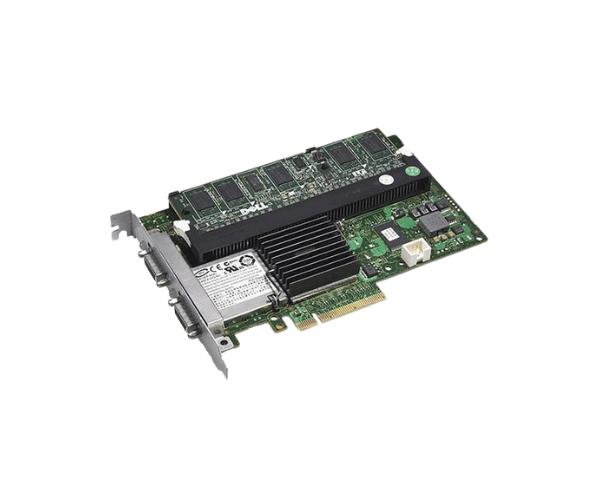
Introduction of Dell J155F PERC 6/E 512MB RAID Controller
The
Dell J155F PERC 6/E 512MB RAID Controller is a high-performance storage controller specifically designed to enhance the management of RAID arrays in Dell PowerEdge servers. This controller provides businesses with reliable data protection, quick access to information, and improved server performance. With its advanced RAID features, the Dell J155F PERC 6/E ensures that your data is secure and readily available, making it an essential component for modern data management.
Why Choose the Dell J155F PERC 6/E 512MB RAID Controller?
Choosing the
Dell J155F PERC 512MB RAID Controller ensures that you benefit from advanced RAID technology that optimizes your server's data storage capabilities. This controller supports multiple RAID levels, allowing you to customize data protection according to your specific needs. The 512MB cache significantly boosts data throughput, leading to faster access speeds for your applications. With a reliable interface and support for both SAS and SATA drives, the Dell J155F PERC is a versatile choice for any data-driven business.
User Experience
Users report high satisfaction with the Dell J155F PERC 6/E for its reliability and ease of use. The setup process is straightforward, and the intuitive management interface allows users to configure and monitor their RAID arrays effortlessly. Many have experienced improved data access speeds and reduced downtime since installing this controller in their systems.
Detailed Breakdown of Features
The
Dell J155F PERC 6/E RAID Controller comes equipped with features that enhance its functionality and reliability. First, it supports various RAID levels, including RAID 0, 1, 5, 10, and 50, providing flexibility for data organization and protection. The cache improves read and write speeds, which is crucial for demanding applications. Additionally, the PCI Express interface ensures compatibility with a wide range of Dell PowerEdge servers. This controller also supports up to 16 drives, enabling you to expand your storage capacity as your business grows. With its battery backup option, your data remains secure even during power outages.
Installation Steps
- Prepare the Server: Ensure the server is powered off and unplugged before starting the installation.
- Locate the PCI Express Slot: Identify an available PCI Express slot on the server motherboard.
- Insert the Controller: Carefully insert the Dell RAID Controller into the slot until it clicks securely into place.
- Secure the Controller: Use screws to fasten the controller to the chassis for stability.
- Reconnect Power: Reattach the server’s power cables.
- Power On the Server: Turn on the server and check if the RAID controller is recognized during the boot process.
Where It Can Be Used?
The
Dell J155F 6/E 512MB RAID Controller is suitable for a variety of applications, including enterprise resource planning (ERP), database management, and virtualization environments. It is ideal for small to medium-sized businesses, data centers, and enterprises looking to enhance their server storage capabilities. This controller ensures efficient data management and protection, making it a vital component of modern IT infrastructure.