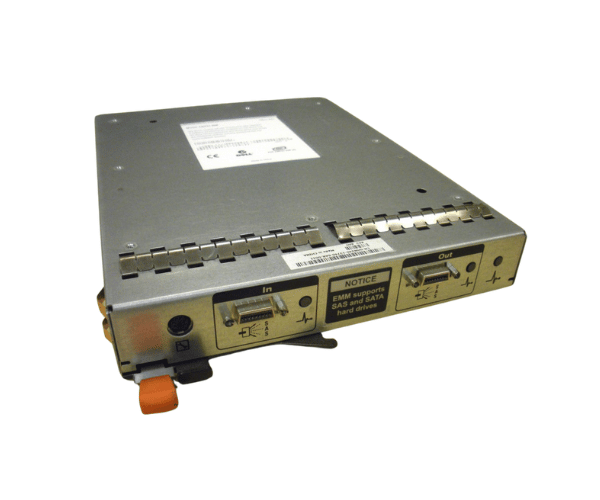
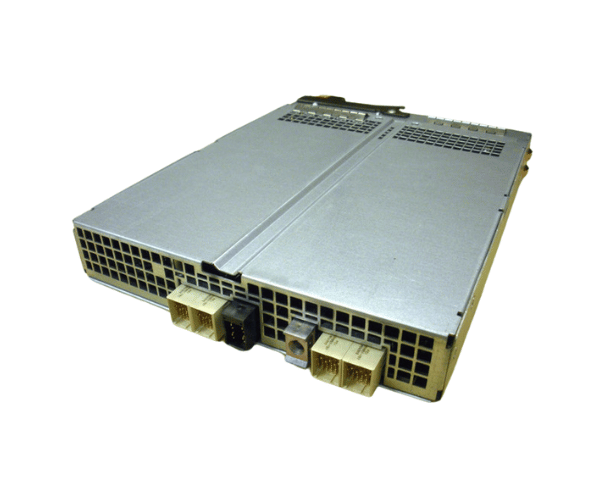
Introduction of Dell HN240 PowerVault MD1000 SAS/SATA EMM Controller Module
The Dell HN240 PowerVault MD1000 SAS/SATA EMM Controller Module is an essential part that improves data management and storage functions for the PowerVault MD1000 series by Dell. This advanced controller module delivers efficient performance and robust support for both SAS and SATA drives, making it an ideal choice for various enterprise storage applications. Organizations can rely on this module to provide effective solutions for their data storage needs.
Why Opt the Dell HN240 PowerVault MD1000 SAS/SATA EMM Controller Module?
Opting for the Dell HN240 MD1000 SAS/SATA EMM Controller Module guarantees that your storage system functions at peak efficiency. This controller module is engineered to support both SAS and SATA drives, providing users with flexibility in drive choice. Its compatibility with the MD1000 series allows for seamless integration into existing systems. Additionally, the controller's support for multiple RAID configurations offers enhanced data protection and performance optimization.
User Experience
Users of the Dell HN240 often report positive experiences with its reliability and performance. IT professionals appreciate the ease of installation and setup, as well as the ability to manage storage efficiently. With this controller module, users experience improved data access speeds and a robust architecture that safeguards critical information.
Detailed Breakdown of Features
The Dell HN240 MD1000 SAS/SATA EMM Controller Module boasts several key features that enhance its functionality. First, it supports both SAS and SATA drives, allowing for diverse storage configurations based on user needs. The module features a 256MB cache memory, which significantly improves data transfer rates and access times. With a data transfer rate of up to 3 Gb/s, it ensures efficient handling of data-intensive applications. Moreover, the support for various RAID levels, including RAID 0, 1, 5, 6, and 10, provides users with the flexibility to choose the best setup for their data protection and performance requirements. Additionally, the Dell HN240 is designed for compatibility with the MD1000 series, ensuring seamless integration with existing storage systems.
Installation Steps
- Power Down the Storage Array: Shut down the MD1000 and unplug it from the power source.
- Remove the Existing Controller: If an older controller is installed, carefully remove it by unscrewing and disconnecting the cables.
- Insert the New Controller: Align the Dell HN240 module with the designated slot and push it firmly into place.
- Reconnect Cables: Attach the necessary cables to ensure proper connectivity with SAS and SATA drives.
- Secure the Controller: Use screws to fasten the controller firmly within the storage array.
- Power On the Storage Array: Plug the MD1000 back in and power it on.
- Configure the Controller: Access the management interface to configure the RAID settings according to your needs.
Where It Can Be Used?
The
Dell HN240 PowerVault MD1000 SAS SATA EMM Controller Module is ideal for various environments that require robust storage solutions. It is particularly beneficial in data centers, enterprise environments, and businesses that rely on extensive data storage. Additionally, it supports applications that require high data throughput, such as database management, virtualization, and backup solutions.