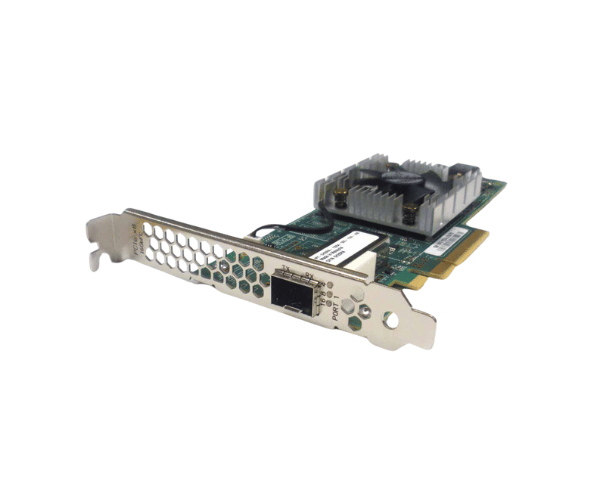
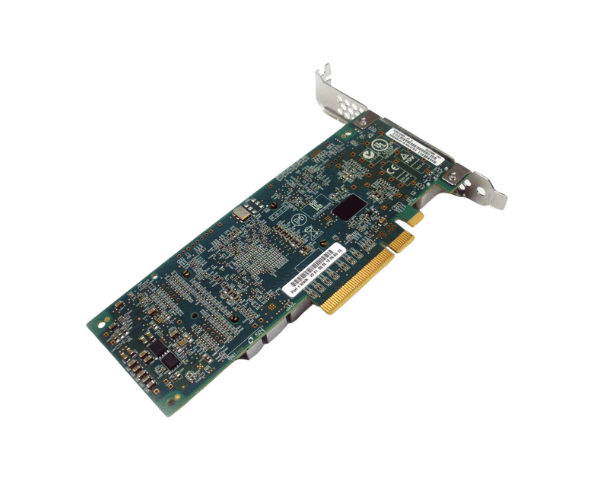
Introduction of Dell H28RN Controller QLE2660 1-Port 16Gb FC HBA
The
Dell H28RN Controller QLE2660 1-Port 16Gb FC HBA adds power and reliability to your server setup. It handles demanding data center tasks with ease. This HBA ensures high performance, scalability, and seamless connectivity. Whether managing enterprise applications or large storage networks, it delivers the speed and efficiency you need.
Why Choose the Dell H28RN Controller QLE2660 1-Port 16Gb FC HBA?
Selecting the
Dell H28RN Controller 1-Port 16Gb FC HBA for your data center or enterprise environment ensures you have a robust and high-performance solution to manage critical data flow. This HBA provides exceptional reliability, which is essential for maintaining uninterrupted data transmission in large-scale operations. With Dell's reputation for quality and the
Dell H28RN Controller 1-Port 16Gb FC HBA's advanced features, it's the ideal choice for businesses looking to optimize their storage area network (SAN) connectivity.
User Experience
Users of the
Dell H28RN Controller QLE2660 16Gb FC HBA often highlight its seamless integration with existing systems and its ability to handle heavy data loads without performance degradation. The installation process is straightforward, and the HBA works efficiently across various platforms, making it a versatile option for IT administrators. Moreover, its low-profile design ensures it fits easily into different server setups, adding to its flexibility and ease of use.
Detailed Breakdown of Features
The
Dell H28RN Controller QLE2660 1-Port 16Gb Fibre Channel HBA offers features that make it a top choice for enterprises. The 16Gb Fibre Channel port provides high-speed data transfer, essential for handling large data volumes with minimal latency. Its PCIe interface enables fast and seamless communication between the server and storage network. The HBA works with a wide range of operating systems, including Windows, Linux, and VMware, offering great flexibility. The low power consumption design reduces operational costs and supports a greener data center.
Installation Steps
- Shut down the server and disconnect all cables.
- Open the server case to access the PCIe slots.
- Insert the Dell Controller 1-Port FC HBA into an available PCIe slot.
- Secure the HBA with the retention screw.
- Secure the server case and reattach all cables.
- Power on the server and access the BIOS/UEFI settings to ensure the HBA is recognized.
- Install the necessary drivers and configure the HBA settings according to your network requirements.
- Verify the HBA is functioning correctly by checking the system logs and monitoring the data flow.
Where It Can Be Used?
The
Dell H28RN Controller QLE2660 1-Port FC HBA is ideal for use in data centers, enterprise server environments, and any setup requiring high-speed data transfer and reliable connectivity. It is particularly well-suited for large-scale storage area networks (SANs), where consistent and high-performance data communication is critical.