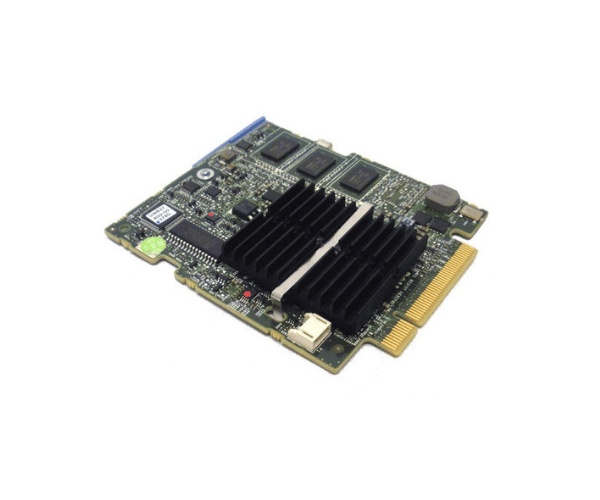
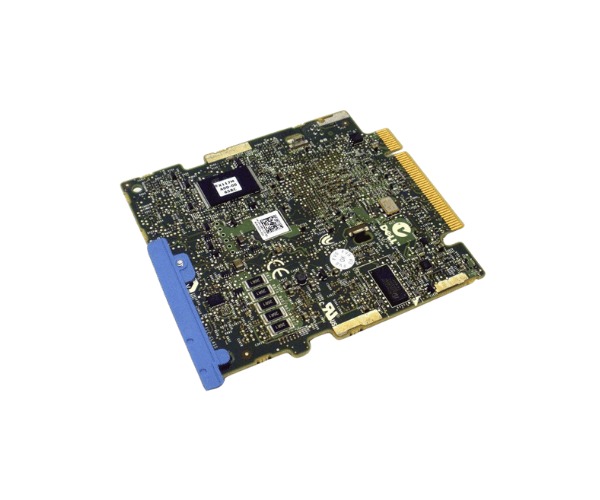
Introduction of Dell H145K PERC 6/I SAS RAID Controller
The
Dell H145K PERC 6/I SAS RAID Controller offers high performance for data storage and management. This controller improves system performance and ensures data redundancy. It is essential for any server environment. With advanced features and a reliable design, the Dell H145K PERC 6/I keeps your data safe. It also boosts overall operational efficiency.
Why Choose Dell H145K PERC 6/I SAS RAID Controller?
Choosing the
Dell H145K PERC 6 I SAS RAID Controller means investing in a reliable storage solution that meets your business needs. This controller offers versatile RAID configurations, ensuring a balance between performance and data protection. With its ability to handle large volumes of data seamlessly, the Dell H145K PERC 6/I is perfect for data-intensive applications and critical workloads.
User Experience
Users appreciate the Dell H145K PERC 6/I for its ease of installation and robust performance. Many have reported significant improvements in data transfer speeds and overall system responsiveness after integrating this RAID controller into their server setups. The reliability of this controller has made it a favored choice among IT professionals looking to enhance their infrastructure.
Detailed Breakdown of Features
The
Dell H145K 6/I SAS RAID Controller comes with advanced features for diverse storage needs. It supports multiple RAID levels, such as RAID 0, 1, 5, 10, and 50. This flexibility allows businesses to select the best configuration for their performance and redundancy requirements. The controller’s SAS interface delivers excellent data transfer rates. This ensures quick access to stored information. Additionally, the 512 MB cache memory boosts read and write operations. This combination of features makes the Dell H145K 6/I perfect for environments that need high availability and fast data access.
Installation Steps
- Power Down the Server: Ensure the server is completely powered off before beginning the installation.
- Remove the Server Cover: Gently take off the server chassis to gain access to the internal parts.
- Locate the PCI Express Slot: Identify an available PCI Express slot on the motherboard for the controller.
- Insert the RAID Controller: Firmly insert the Dell 6/I into the PCI Express slot until it is securely seated.
- Close the Server Chassis: Reattach the server cover, ensuring it is properly secured.
- Reconnect Power: Plug the server back in and power it on.
Where It Can Be Used?
The
Dell H145K PERC 6/I RAID Controller is suitable for various environments, including small to medium-sized businesses, data centers, and enterprise applications. It excels in settings that require efficient data management and high availability, such as file servers, database systems, and virtualization environments.