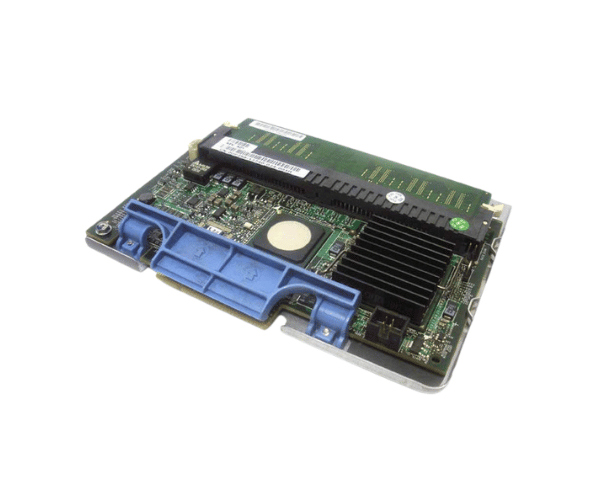
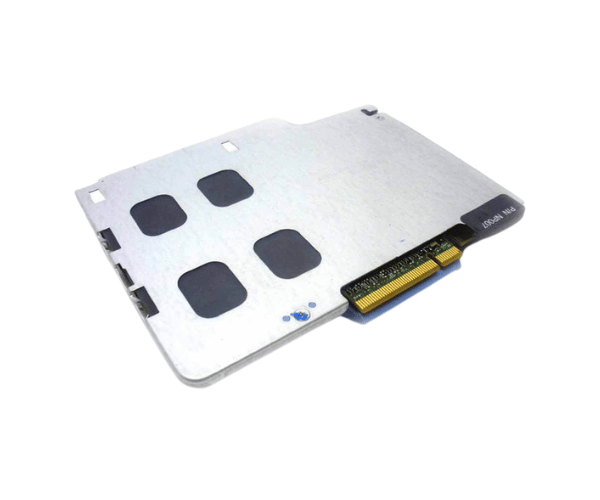
Introduction of Dell GP298 RAID Controller
The Dell GP298 RAID Controller is designed for outstanding performance and reliability. It meets various data storage needs. Whether you run a small business or a large enterprise, this RAID controller offers excellent data protection. It enhances performance effectively. With advanced features and a robust design, the Dell GP298 fits perfectly in any server environment. It is a smart choice for professionals who require the best.
Why Choose Dell GP298 RAID Controller?
Choosing the
Dell GP298 Controller means investing in a reliable solution that prioritizes your data's safety. With its ability to support multiple RAID levels, you can customize your storage setup to suit your specific needs. Additionally, the advanced caching features enhance read and write speeds, making it an excellent choice for applications that require fast data access. The integrated battery backup further ensures data integrity, safeguarding your information in case of unexpected power outages. Overall, the Dell GP298 offers unmatched performance and peace of mind.
User Experience
Users appreciate the
Dell RAID Controller for its straightforward installation process and exceptional performance. Many have reported noticeable improvements in data transfer speeds and overall system responsiveness after integrating this RAID controller into their servers. The intuitive management software simplifies RAID configuration and monitoring, making it accessible even for users who may not be highly technical. Overall, users find the Dell GP298 to be a dependable choice for enhancing their storage solutions.
Detailed Breakdown of Features
The
Dell GP298 Controller is packed with features designed to optimize your data storage experience. Its multiple RAID level support (0, 1, 5, 6, 10) allows users to select the best configuration for their specific needs, balancing performance and data protection. The PCIe 3.0 interface ensures high-speed data transfer, making it ideal for applications requiring quick access to large amounts of data. The controller's 1GB DDR3 cache memory enhances performance further by storing frequently accessed data for quicker retrieval. Additionally, the built-in battery backup safeguards against data loss during power failures, making it an essential component for critical applications.
Installation Steps
- Power Down: Ensure your server is powered off and unplugged from the power source.
- Open Server Case: Remove the server's side panel to access the motherboard.
- Insert Controller: Locate an available PCIe slot and firmly insert the Dell RAID Controller.
- Secure Connection: Ensure the controller is securely connected and fasten it to the chassis.
- Close Server Case: Replace the server’s side panel.
- Reconnect Power: Plug the server back in and power it on.
Where It Can Be Used?
The
Dell GP298 RAID Controller is suitable for various environments, including small to medium-sized businesses, enterprise data centers, and high-performance workstations. It is particularly effective in scenarios requiring data redundancy, such as financial institutions, healthcare systems, and media production facilities. This controller enhances data security and reliability, making it ideal for environments where data integrity is crucial.