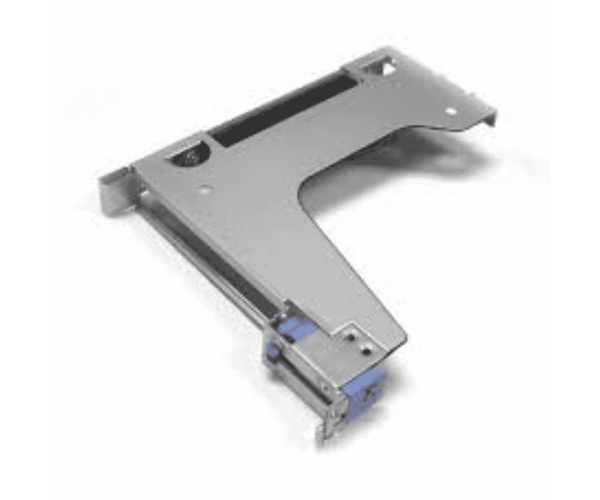
The Dell FJ4M3 Bracket PCI-E G3 X16 FH for R440 Riser Board is a vital upgrade for optimizing server performance. Tailored for effortless installation, this bracket enables high-speed data transfer, making it perfect for graphics-intensive and computationally heavy tasks. It’s a great option for companies that need dependable performance in high-demand settings.
Dell FJ4M3 Bracket PCI-E G3 X16 FH for R440 Riser Board in BD
In Bangladesh, the Dell FJ4M3 Bracket PCI-E G3 X16 FH Riser Board is available through various local IT stores and online platforms. This product is an excellent choice for organizations seeking to enhance their server capabilities, offering a dependable and high-performance solution for demanding computing applications.
User Experience
Users have reported a seamless experience when integrating the
Dell FJ4M3 Bracket into their systems. Installation is straightforward, and the bracket’s robust design ensures stable performance even under heavy workloads. Many appreciate the improved graphics performance, making it a favorite among IT professionals.
Why Select The Dell FJ4M3 Bracket PCI-E G3 X16 FH?
Choosing the
Dell FJ4M3 Bracket PCI-E G3 X16 FH Riser Board means investing in quality and reliability. Its compatibility with the R440 server ensures optimal performance, while its durable construction promises longevity. This product is perfect for organizations looking to boost their processing power and improve overall system performance.
Key Features
- Excellent Compatibility: Tailored specifically for Dell R440 servers to ensure optimal performance and seamless integration.
- Enhanced Performance: Supports high-speed PCI-E G3 X16 interfaces.
- Robust Design: Made from durable metal to withstand heavy use.
- Easy Installation: User-friendly design allows for quick setup.
- Warranty Coverage: Comes with a one-year warranty for peace of mind.
Installation Steps
- Prepare Your Workspace: Set up a clean, static-free area for installation.
- Power Down the Server: Turn off the Dell R440 and unplug it from the power source.
- Remove the Server Cover: Carefully detach the cover to access the internal components.
- Locate the Riser Board Slot: Find the PCI-E slot designated for the bracket installation.
- Insert the Bracket: Position the Dell FJ4M3 Bracket and gently press it into the PCI-E slot.
- Fasten the Bracket: If necessary, use screws to ensure the bracket is securely in place.
- Reassemble the Server: Put the server cover back on and reconnect all cables.
- Power On: Switch the server back on to verify that everything is working correctly.
Where It Can Be Used?
The Dell FJ4M3 Bracket PCI-E G3 X16 FH Riser Board is versatile and suitable for multiple environments, including:
- Data Centers: Ideal for enhancing server capabilities.
- Enterprise IT Environments: Supports high-performance applications.
- Cloud Computing: Improves resource management and efficiency.
- Virtualization: Helps in running multiple OS smoothly.



-70x60h.png "Dell 0VG0Y PCI PowerEdge R440/R540 Riser Card")


