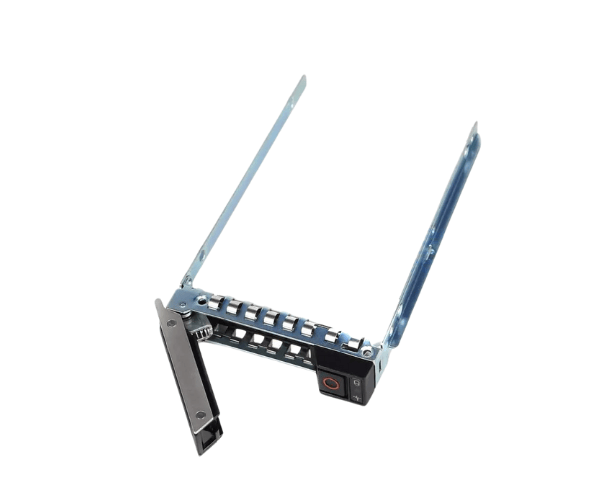
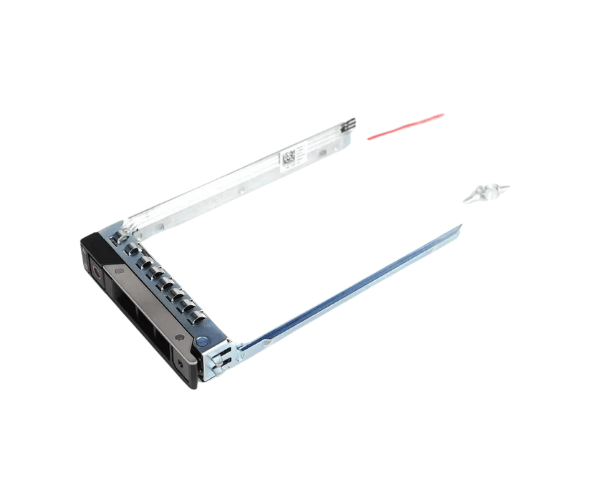
Introduction of Dell DXD9H 2.5" Hard Drive Tray Caddy
The
Dell DXD9H 2.5" Hard Drive Tray Caddy is engineered to fit perfectly into Dell's PowerEdge servers, including models such as the R540, R640, R740, R740XD, and R7415. This caddy is designed to hold 2.5" hard drives securely while ensuring seamless integration into Dell's Gen14 server infrastructure. Whether you're upgrading your existing hardware or replacing old components, the
Dell DXD9H Tray Caddy enhances both the performance and reliability of your server environment.
Why Choose the Dell DXD9H 2.5" Hard Drive Tray Caddy?
The
Dell 2.5" Hard Drive Tray Caddy offers outstanding performance, reliability, and ease of use. This product ensures that your 2.5" drives are securely housed, providing full compatibility with Dell PowerEdge R540, R640, R740, R740XD, and R7415 models. Made from durable materials, the
Dell Tray Caddy can withstand heavy-duty usage and harsh environments. Its tool-less design makes installation quick and easy, reducing maintenance time. With its precision fit and enhanced airflow, this tray caddy improves your server’s overall functionality and longevity.
User Experience
The
DXD9H 2.5" Hard Drive Tray Caddy has been well-received for its simplicity and high performance. Users report that it is easy to install and provides a firm fit for their 2.5" hard drives. Its secure latch mechanism ensures that drives remain in place even in high-demand environments, offering peace of mind for data integrity. The caddy’s lightweight design, paired with its robust construction, makes it an excellent choice for both small and large-scale server setups. Users also appreciate the enhanced airflow, which helps in keeping the server cool during extended operations.
Detailed Breakdown of Features
The
Dell DXD9H 2.5" HD Tray Caddy is packed with features designed for efficiency and reliability. Its design allows for seamless integration with Dell PowerEdge servers like R540, R640, R740, R740XD, and R7415, ensuring 100% compatibility. Constructed from durable metal and plastic, this tray caddy offers a lightweight yet sturdy solution for holding 2.5" hard drives. The secure latch system not only guarantees the drive is locked in place but also makes installation quick and tool-free. The open frame design promotes better airflow, reducing the risk of overheating during prolonged use. Its tool-less installation means server administrators can easily swap or install drives without specialized equipment, saving both time and effort.
Installation Steps
- Power down the server and disconnect it from the power supply.
- Open the server’s drive bay to access the caddy slots.
- Insert your 2.5" hard drive into the Dell DXD9H Tray Caddy.
- Secure the drive using the integrated latch mechanism.
- Slide the caddy into an available slot in the server.
- Push the tray until it clicks into place.
- Close the server and reconnect the power. Your drive is now ready for use.
Where It Can Be Used?
The
Dell DXD9H Hard Drive Tray Caddy is ideal for use in Dell PowerEdge Gen14 servers. It fits models such as the R540, R640, R740, R740XD, and R7415. These servers are commonly found in data centers, enterprise environments, and small-to-medium businesses that rely on robust storage solutions. The
Dell DXD9H Tray Caddy is also suitable for environments where performance, scalability, and easy maintenance are top priorities.



-70x60h.png "2.5″ Swap HDD Tray Caddy Bracket for POWEREDGE T440 T640 SAS SATA")


