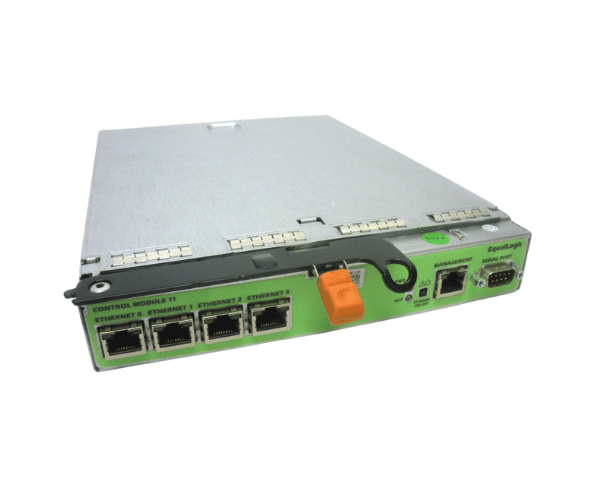
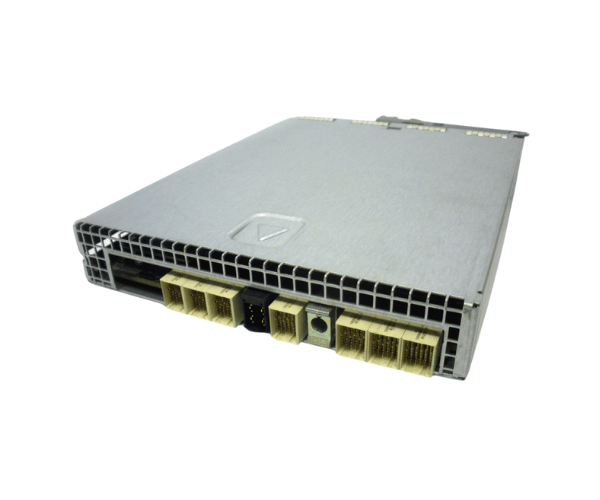
Introduction of Dell 7V250 EqualLogic Type 11 Controller Module
The Dell 7V250 EqualLogic Type 11 Controller Module for PS6100 serves as a vital component for optimizing storage performance and reliability in enterprise environments. Designed specifically for the Dell EqualLogic PS6100 storage arrays, this controller module significantly enhances data management capabilities. With its robust performance and high availability features, the Dell 7V250 is perfect for businesses that require reliable storage solutions to manage their critical data effectively.
Why Opt the Dell 7V250 EqualLogic Type 11 Controller Module?
Investing in the Dell 7V250 EqualLogic Controller Module enhances your storage performance while ensuring data integrity. This module allows businesses to tailor their storage strategies with various RAID configurations. The high-speed connectivity offered by dual 10GbE ports guarantees swift data transfers. Its design supports multiple physical devices, making it ideal for organizations with growing data needs. By choosing this controller module, you gain a flexible and reliable solution for your data management requirements.
User Experience
Users consistently report enhanced performance and reliability when integrating the Dell 7V250 EqualLogic Type 11 Controller into their systems. Its seamless compatibility with PS6100 storage arrays simplifies installation and setup. Additionally, many users appreciate the improved data protection features, providing reassurance when handling vital information. The module’s high availability reduces downtime, making it an excellent choice for enterprise-level environments.
Detailed Breakdown of Features
The Dell 7V250 Type 11 Controller Module comes with advanced features that optimize both performance and reliability. The module supports dual 10GbE ports, enabling rapid data transfers essential for high-demand applications. With a maximum support of 128 physical drives, it accommodates extensive storage requirements while maintaining data integrity. The built-in 2GB DDR3 cache enhances read and write operations, reducing latency for quicker access to critical data. Additionally, the controller module's RAID configuration capabilities allow businesses to protect their data effectively and optimize performance based on their unique needs. Overall, the Dell 7V250 provides a comprehensive solution for data management in modern storage environments.
Installation Steps
- Power Down the System: Ensure that the PS6100 storage array is completely powered off before starting the installation process.
- Open the Enclosure: Carefully remove the enclosure cover to gain access to the internal components.
- Locate the Controller Slot: Identify the designated slot for the controller module within the PS6100.
- Insert the Controller Module: Firmly insert the Dell Controller Module into the appropriate slot until it is securely seated.
- Close the Enclosure: Replace the enclosure cover, ensuring it is properly secured.
- Reconnect Power: Plug the storage array back in and power it on to complete the installation.
Where It Can Be Used?
The
Dell EqualLogic Type 11 Controller Module is suitable for various environments, including data centers, enterprise storage solutions, and cloud infrastructures. It is especially beneficial for businesses that require high data availability and reliability. The module effectively supports diverse workloads, making it ideal for applications such as virtualization, database management, and large-scale data storage.