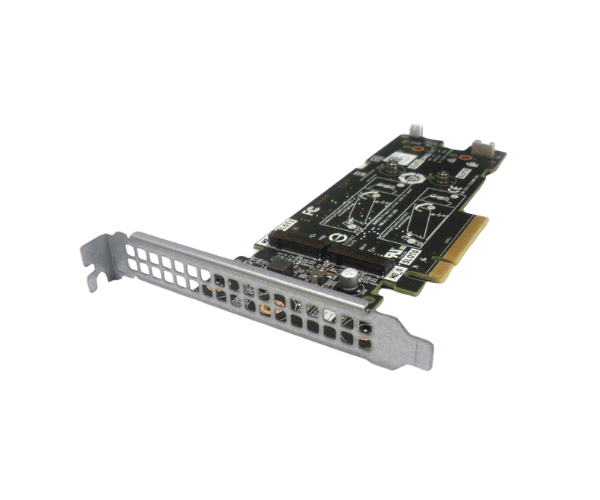
Introduction of Dell 7HYY4 Storage Controller BOSS PCI-E 2xM.2
The Dell 7HYY4 Storage Controller BOSS PCI-E 2xM.2 is a cutting-edge storage solution designed to enhance server performance and efficiency. This controller is ideal for businesses seeking reliable and high-speed data management capabilities. With its dual M.2 slots, the Dell 7HYY4 offers advanced RAID functionality and optimized storage options, ensuring that your data is secure and easily accessible. Whether you’re running virtual machines or managing critical applications, this storage controller provides the performance and flexibility you need.
Why Choose the Dell 7HYY4 Storage Controller BOSS PCI-E 2xM.2?
Choosing the Dell 7HYY4 Storage Controller PCI-E 2xM.2 means investing in a reliable storage solution that enhances your server's performance. This controller is specifically designed for Dell PowerEdge servers, ensuring seamless integration and compatibility. The dual M.2 slots allow for flexible storage options, enabling users to choose the RAID configuration that best suits their needs. Additionally, its advanced features support data redundancy and recovery, making it an essential component for businesses that prioritize data security and operational efficiency.
User Experience
Users have reported significant improvements in server responsiveness and speed after integrating the Dell 7HYY4 Storage Controller into their systems. The ease of installation and setup, along with its robust performance, has made it a preferred choice for many IT professionals. Customers appreciate the dual M.2 slots, which provide ample storage options while optimizing space within the server. Overall, the feedback highlights a positive user experience marked by enhanced productivity and data management capabilities.
Detailed Breakdown of Features
The Dell 7HYY4 Storage Controller BOSS PCI-E stands out for its impressive features that cater to various storage needs. With dual M.2 slots, users can install two high-speed NVMe SSDs, maximizing storage efficiency and performance. It supports multiple RAID configurations, including RAID 0 and RAID 1, allowing users to prioritize speed or data redundancy based on their operational requirements. The PCIe interface ensures fast data transfer rates, significantly improving server performance. Moreover, the compact form factor makes it easy to fit into server chassis without consuming excessive space, making it an excellent choice for data centers looking to optimize their infrastructure.
Installation Steps
- Power Off the Server: Ensure the server is powered down and disconnected from any power source.
- Open the Server Case: Carefully remove the server case to access the internal components.
- Locate the PCI-E Slot: Identify the appropriate PCI-E slot where the Dell 7HYY4 will be installed.
- Insert the Controller: Gently insert the Dell Storage Controller into the selected PCI-E slot until securely seated.
- Close the Server Case: Replace the server case and ensure it is securely fastened.
- Reconnect All Cables: Plug in all previously disconnected cables to restore power and connectivity.
- Power On the Server: Turn on the server and access the BIOS settings to configure the RAID settings as needed.
Where It Can Be Used?
The
Dell 7HYY4 Storage Controller is suitable for various environments, including data centers, small to medium-sized businesses, and enterprise settings. It excels in applications requiring high-speed data access, such as virtualization, database management, and cloud services. This controller is particularly beneficial for organizations that rely on Dell PowerEdge servers, as it provides optimal performance and compatibility.