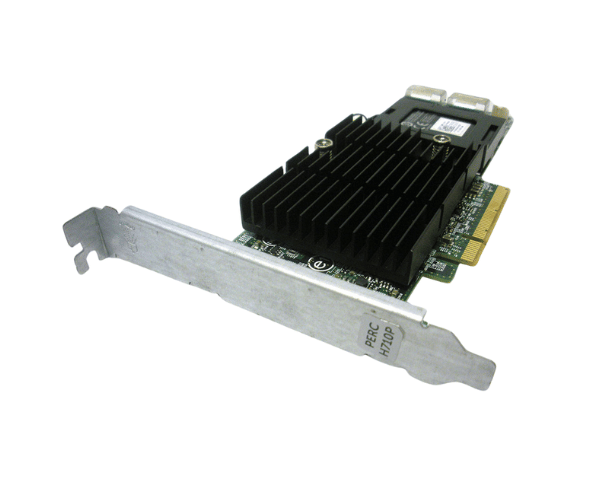
Introduction of Dell 7GCGT RAID Controller w/Battery
The Dell 7GCGT RAID Controller w/Battery optimizes data storage and management in enterprise environments. It offers advanced RAID capabilities and includes an integrated battery backup to ensure data integrity while boosting system performance. Businesses that require high availability and efficient data processing will find this controller an essential component.
Why Choose the Dell 7GCGT RAID Controller w/Battery?
The Dell 7GCGT RAID Controller with Battery delivers reliability and performance. It handles intensive data tasks efficiently, making it ideal for environments where data integrity and uptime are crucial. The integrated battery backup protects your data even during a power failure, providing IT administrators with peace of mind.
User Experience
Users of the Dell 7GCGT RAID Controller with Battery enjoy a seamless experience with easy installation, efficient data management, and dependable performance. The controller's user-friendly management interface simplifies configuration and monitoring, allowing users to focus on their primary tasks without concerns about data loss or system downtime.
Detailed Breakdown of Features
The Dell 7GCGT RAID Controller with Battery offers advanced features that enhance data management and system reliability. It supports multiple RAID levels, providing flexibility in data storage and protection, allowing you to optimize performance and redundancy to suit your needs. The 1GB DDR3 cache memory accelerates read/write operations, reducing latency and speeding up data access. With its PCIe 3.0 interface, you’ll experience fast data transfer rates. The integrated battery backup ensures data protection during power outages. This robust feature set makes the Dell 7GCGT a powerful solution for enterprise data management.
Installation Steps
- Turn Off the System: Make sure the server is fully powered down before starting the installation process.
- Access the Server Interior: Remove the server cover to gain access to the internal components.
- Identify the PCIe Slot: Locate an available PCIe slot on the motherboard designated for the RAID controller.
- Install the Controller: Gently insert the Dell RAID Controller into the PCIe slot, ensuring it fits securely.
- Secure the Server Chassis: Reattach the server cover, making sure it is securely fastened.
- Restore Power: Reconnect the server to its power source and turn it on to finalize the installation.
Where It Can Be Used?
The
Dell 7GCGT RAID Controller with Battery is ideal for use in data centers, enterprise storage systems, and cloud environments where high availability, data integrity, and performance are crucial. It is also suitable for small to medium-sized businesses looking to enhance their data management capabilities.