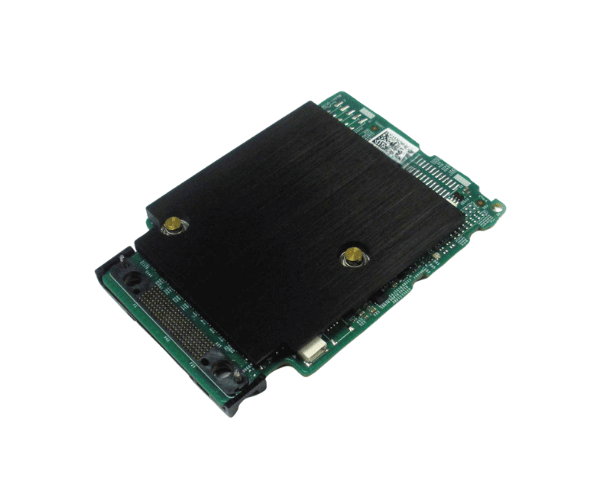
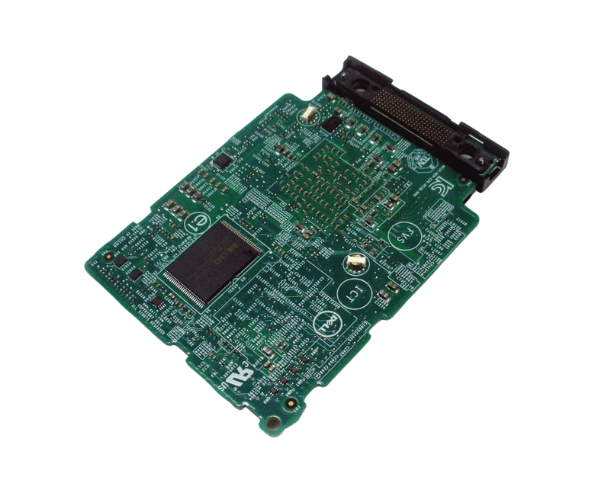
Overview of Dell 7G4YN PERC H330 Mini Blade RAID Controller
The Dell 7G4YN PERC H330 Mini Blade RAID Controller is a powerful and efficient storage solution designed to enhance your server's performance. This RAID controller is specifically engineered for Dell's PowerEdge series, providing robust data protection and high-speed data access. With advanced RAID capabilities, the Dell 7G4YN ensures reliable performance for both enterprise and small business applications.
Why Choose the Dell 7G4YN PERC H330 Mini Blade RAID Controller?
Choosing the Dell 7G4YN PERC Mini Blade RAID Controller means investing in reliability and performance. This controller offers exceptional flexibility with support for various RAID levels, allowing you to tailor your data protection strategy based on your needs. Additionally, the user-friendly interface simplifies setup and configuration, making it an ideal choice for businesses of all sizes looking to enhance their data management capabilities.
User Experience
Users appreciate the efficiency and reliability of the Dell 7G4YN PERC H330. Many report a noticeable improvement in data access speeds and overall system performance after installation. The straightforward setup process and clear documentation further contribute to a positive user experience, allowing users to get the most out of their RAID controller quickly.
Detailed Breakdown of Features
The Dell PERC H330 Mini Blade RAID Controller stands out for its impressive range of features. The Dell 7G4YN PERC H330 Mini Blade RAID Controller offers support for various RAID configurations, such as RAID 0, RAID 1, RAID 5, and RAID 10. This capability allows users to tailor their storage solutions for improved performance and enhanced data protection. With a 1GB non-volatile cache, it enhances read and write operations, ensuring that data is processed quickly and efficiently. The controller is compatible with both SAS and SATA drives, offering versatility for various storage environments. Additionally, its mini blade design allows for easy integration into Dell PowerEdge servers, making it a compact yet powerful solution for data management.
Installation Steps
- Turn off the server and unplug all connected cables.
- Remove the server cover and find the suitable PCIe slot designated for the RAID controller installation.
- Carefully insert the Dell PERC H330 into the PCIe slot, ensuring a secure connection.
- Fasten the controller with the appropriate screws or fasteners.
- Seal the server enclosure and reattach all previously disconnected cables.
- Power on the server and install any necessary drivers and management software.
-
Utilize the RAID configuration tool to configure your desired RAID levels according to your requirements.
Where It Can Be Used?
The
Dell 7G4YN PERC H330 Blade RAID Controller is designed to function effectively in diverse settings, making it an excellent choice for various applications. It is particularly effective in small to medium-sized businesses, file servers, virtualization environments, and database management systems. Its ability to handle multiple RAID configurations makes it a versatile choice for organizations that require reliable data storage solutions.