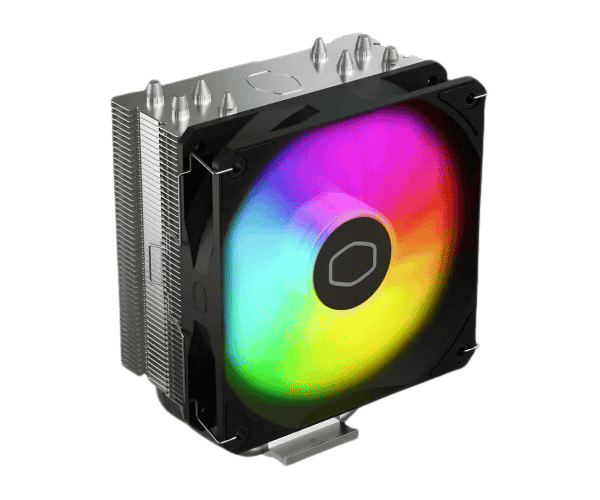
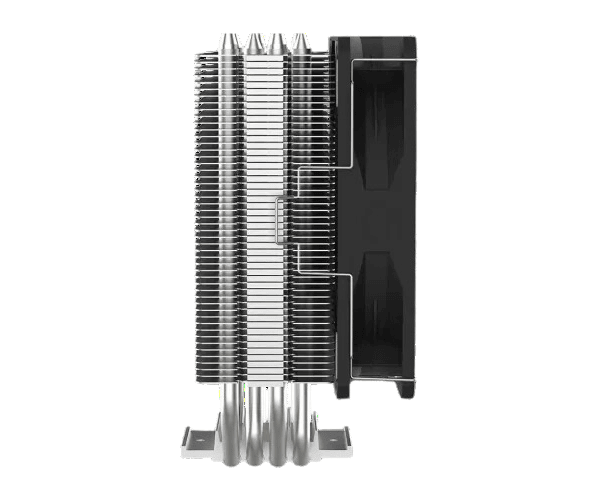
About this Cooler Master Hyper 212 Spectrum CPU Cooler
The Cooler Master Hyper 212 Spectrum V3 CPU Cooler offers exceptional cooling performance with an advanced design, ensuring your CPU stays cool under heavy loads. Equipped with customizable RGB lighting, it's perfect for any build.
Specification
| Feature |
Details |
| Model |
Hyper 212 Spectrum V3 |
| Type |
Air Cooler |
| Fan Speed |
650 - 1750 RPM ± 10% |
| Fan Airflow |
71.93 CFM (Max) |
| Fan Noise Level |
27.2 dBA |
| Air Pressure |
1.86 mmH₂O (Max) |
| Connector |
4-Pin (PWM) |
| Material |
Heat Sink: 4 Heat Pipes / Aluminum Fins |
| Fan MTTF |
>160,000 Hours |
| Fan Bearing Type |
Rifle Bearing |
| Dimensions |
Cooler: 124 x 73 x 152 mm |
| Fan |
120 x 120 x 25 mm |
| Supported Sockets |
Intel: LGA 1700, 1200, 1151, 1150, 1155, 1156 |
| AMD |
AM5, AM4 |
Description
Cooler Master Hyper 212 Spectrum V3 CPU Cooler in BD
The Cooler Master Hyper 212 Spectrum V3 CPU Cooler is a specialist in heat dissipation; it is engineered for extreme cooling efficiency. With a 120mm fan, this cooler boasts an intense airflow and an aesthetic quality of customizable RGB lighting to fit any PC build. For the demanding user, an effective cooler that is a true help.
User Experience:
Installing the Cooler Master Hyper 212 CPU Cooler made up for its pint-sized stature with very efficient cooling performance bolstered with the extremely low sound of operation. Under the heaviest of loads, this fan still provides thermal management at far better levels than previously kept. The RGB lighting adds an element of pop to any setup, and the design fits most cases. Many users also report that the CPU temperature improves, giving them added stability while using it during long hours of gaming or heavy processing tasks. It easily installs without fuss and effectively executes all its design functions making it a top choice among fans trying to upgrade their cooling systems for PCs.
Why Choose the Cooler Master Hyper 212 Spectrum CPU Cooler?
The Cooler Master Hyper 212 Spectrum CPU Cooler is ideal for all these purposes: highly effective cooling performance, a very quiet operation, and RGB customizable lightning. Ideal for gamers and content producers because they need reliable cooling even though it could look quite aesthetically pleasing on their setups. Being quite huge, the heat sink, coupled with its vigorous fan, would ensure that your CPU would not rise above optimum efficacious temperatures under high-performance tasks. Affordable, yet entirely reliable and customizable, this is definitely the best cooler to choose from.
Installation Steps:
- Get the Motherboard Ready: First, ensure that the motherboard is installed inside the case and ready for the cooler installation.
- Thermal Paste Application: With a steady hand, a small quantity of thermal paste should be applied directly onto the surface of the CPU.
- Install the Bracket: Next, the provided mounting bracket shall be applied to the motherboard, to the described mounting locations, aligning with the CPU socket.
- Installation of Cooler: Finally, affix the cooler master hyper 212 CPU cooler over the CPU and anchor it to the bracket.
- Connect the fan: Connect the power cable of the fan into the CPU fan header on the motherboard.
- Setting Up RGB: In case this is needed, connect it to Motherboard or Controller for the lighting adjustments.
- Testing the Cooler: Start-up your system, and verify that the cooler's fan has been operating and also the RGB colors are right to check if everything is functional appropriately.
What is the Price of the Cooler Master Hyper 212 Spectrum CPU Cooler in Bangladesh?
The latest price of
Cooler Master Hyper 212 Spectrum V3 CPU Cooler in Bangladesh depends on quantity.
Crystal Vision Solutions ensure This product has the best market price in Bangladesh. Our product is 100% original and lowest price in Bangladesh. All kinds of services are the best in Bangladesh, and contact us for any information and latest price.