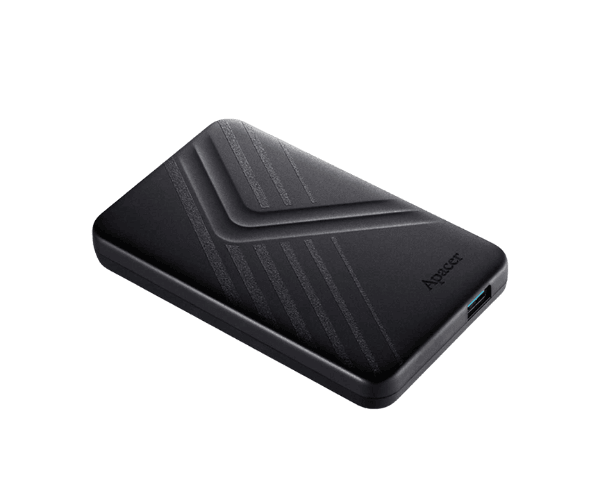
About this Apacer AC236 2 TB USB 3.2 Gen 1 Black External HDD
The Apacer AC236 2TB USB 3.2 Gen 1 Black External HDD is a compact, high-speed storage device. With 2TB capacity, it offers enough space for your photos, videos, and documents. Its USB 3.2 Gen 1 ensures fast data transfer, making it ideal for work and entertainment.
Specifications
| Feature |
Details |
| Brand |
Apacer |
| Model |
AC236 |
| Storage |
2TB |
| Interface |
USB 3.2 Gen 1 |
| Color |
Black |
| Dimensions |
125.7 x 79.4 x 14.5 mm |
| Weight |
139g |
| Data Transfer Speed |
Up to 5Gbps |
| Compatibility |
Windows, Mac, Linux |
| Power Supply |
USB-Powered |
Description
Apacer AC236 2TB USB 3.2 Gen 1 Black External HDD in BD
The Apacer AC236 2TB USB 3.2 Black External HDD is an ultra-lightweight and slim, stylish storage companion. With its colossal capacity of 2 TB, one can easily store and back up important files on the go seamlessly. It connects via a very fast USB 3.2 Gen 1 interface, making it suitable for professional persons and students too.
User Feel and Experience
Apacer's AC236 2TB USB 3.2 Gen Black External HDD comes with the assurance of fluid, no-fuss operation. It has a plug-and-play feature, meaning that no extra software installation is required-just plug it in and you are ready to go. Its compact design fits easily into bags, making it highly portable. Users also praised its solid build that resists scratches and slight bumps. With the fast transfer speed of 5Gbps large files can be transferred in no time, saving you time. It has worked excellently for work, study, or entertainment, making sure your data is stored reliably and safely.
Why Choose Apacer AC236 2-TB USB 3.2 Gen 1 Black External HDD?
- Large Capacity: Store all your files in it, starting from 2TB onwards.
- Fast Speed: USB 3.2 Gen 1 supports a transfer speed of up to 5Gbps.
- Compact & Lightweight: Easy to carry and store.
- Plug & Play: No driver or software installation is required.
- Wide Compatibility: It supports Windows, Mac, and Linux.
- Durable Design: Scratch-resistant and impact-resistant surface.
Installation Steps
- Unbox Apacer AC236 2-TB USB 3.2 Gen 1 Black External HDD and check for physical damage.
- Use a USB cable to connect the HDD to the computer.
- Allow the system to detect the device automatically.
- By default, the drive will open in 'File Explorer'.
- Drag and drop files into HDD to transfer your files.
- Click the safely eject option before pulling out to avoid data loss.
What is the Price of the Apacer AC236 2TB USB 3.2 Gen 1 Black External HDD in Bangladesh?
The latest price of
Apacer AC236 2 TB USB 3.2 Gen 1 Black External HDD in Bangladesh depends on quantity.
Crystal Vision Solutions ensure This product has the best market price in Bangladesh. Our product is 100% original and lowest price in Bangladesh. All kinds of services are the best in Bangladesh, and contact us for any information and latest price.