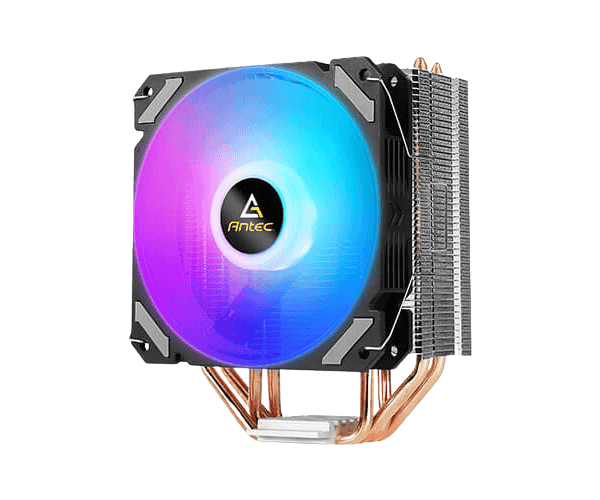
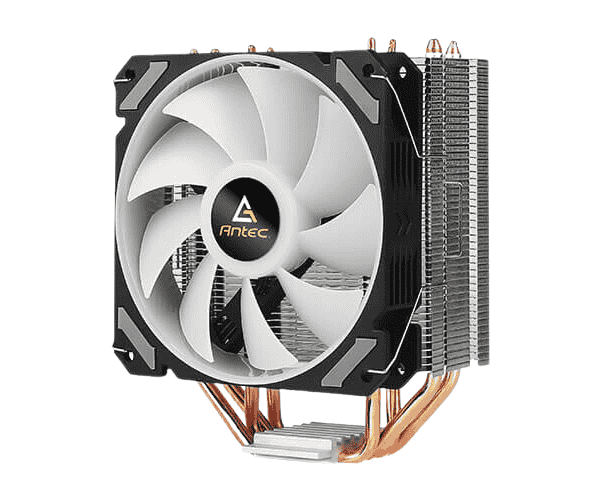
About this Antec A400i Neon Lighting CPU Cooler
The Antec A400i Neon Lighting CPU Air Cooler combines effective cooling with a stylish neon design. This cooler features advanced air flow and high-performance cooling to keep your CPU running at optimal temperatures during intense tasks.
Specification
| Feature |
Details |
| Model |
Antec A400i |
| Type |
Air Cooler |
| LED Lighting |
RGB Neon Lighting |
| Compatibility |
Intel & AMD Socket |
| Fan Speed |
1500 RPM |
| Air Flow |
52.5 CFM |
| Noise Level |
25 dB |
| Dimensions (L x W x H) |
120 x 120 x 25 mm |
| Material |
High-quality plastic and metal |
| Heat Pipes |
4 Copper Heat Pipes |
| Airflow |
72 CFM max. |
| Supports |
Both Intel & AMD |
| Fan Speed (PWM) |
800-1800 RPM (± 10%) |
| Noise (Fan) |
20-36 dB (A) |
| Air Pressure |
2.1 mmH2o (Max) |
| Connector |
Fan: 4 pin |
| Rated Voltage |
12VDC |
Description
Antec A400i Neon Lighting CPU Air Cooler in BD
Realizing a viable alternative for squeezing both style and performance from this one is indeed an occasion for gratitude. A CPU cooler is a matter of course for handling RGB neon lighting plus phenomenal cool technologies so as to assist the CPU in being cool under heavy duty such as gaming and other demanding tasks. This workhorse has compatibility in both Intel and AMD sockets, making it suitable for an all-purpose option in various builds.
User Experience
Indeed, you will feel distinct cooling performance just from installation of Antec A400i Neon Lighting CPU Air Cooler. The RGB neon is surely an appealing sight in any build, whilst the 1500 RPM fan on the other hand does the work well. At gaming sessions or multitasking, those temperatures are stable for the cooler, even under heavy applications. There is a slight fan noise to it, which makes it a smooth experience. The easy installation and universal compatibility with Intel and AMD sockets really add to the user-friendliness. This beauty will boost your performance both style-wise and efficiently, whether you are a normal user or a gamer.
Why Choose Antec A400i Neon CPU Air Cooler?
If you want an air cooler capable of upgrading both cooling performance and appearance for your PC, the Antec A400i is your man. The high-performing fan works at 1500 RPM, and the light effects in this cooler are a treat for the eyes. This air cooler is compact yet good looking and does keep the CPU calm under pressure; hence, maximum performance during heavy lifting tasks is assured. The cooling solution also boasts compatibility with Intel and AMD sockets, which allows it to fit into varying builds. Antec A400i Neon for good cooling and eye-catching build.
Installation Steps
- Preparing the workstation: Your PC should be turned off and unplugged. The left panel of the PC case has to be turned away so as to view the motherboard.
- Mounting Bracket Alignment: Attach a mounting bracket for your CPU socket.
- Maintain Bracket Configuration: Maintain the bracket to match the socket type to mount (Intel or AMD).
- Thermal Paste Application: Put a small amount in the center of the CPU for maximum heat transfer.
- Cooler Placement: With care, place the Antec A400i Lighting CPU Cooler onto the CPU, ensuring it is seated properly onto the mounting bracket.
- Screw Down the Cooler: Tighten the screws to firmly secure the cooler.
- Connecting Fan Cable: Plug the fan cable of the cooler into the CPU fan header on the motherboard.
- Power Up Your PC: Switch on the power to check the cooler RGB lights for activity and fan smooth rotation.
What is the Price of the Antec A400i Neon Lighting CPU Air Cooler in Bangladesh?
The latest price of
Antec A400i Neon Lighting CPU Air Cooler in Bangladesh depends on quantity.
Crystal Vision Solutions ensure This product has the best market price in Bangladesh. Our product is 100% original and lowest price in Bangladesh. All kinds of services are the best in Bangladesh, and contact us for any information and latest price.