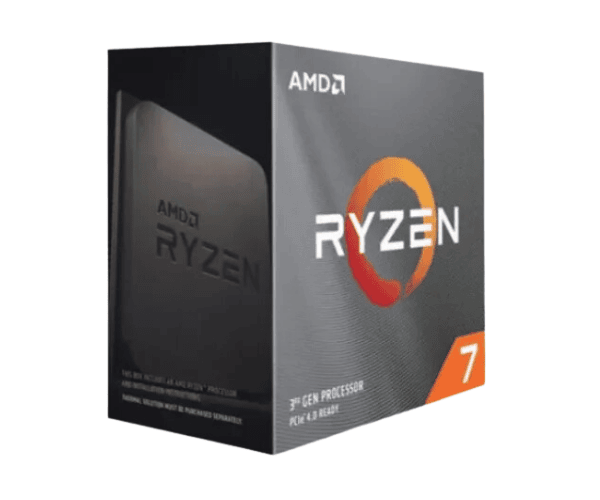
About the AMD Ryzen 7 5700G Processor with Radeon Graphics Processor
Unleash incredible performance with the
AMD Ryzen 7 5700G Processor, armed with 8 cores and 16 threads, featuring Radeon Graphics. It's perfect for gamers, content creators, and professionals alike. Integrated Radeon Vega graphics set up a strong visual performance sans discrete GPU. This will form a perfect blend of power and efficiency and can manage an assorted range of computing requirements with great ease.
Specification
| Feature |
Details |
| Brand |
AMD |
| Model |
Ryzen 7 5700G |
| Base Frequency |
3.8 GHz |
| Maximum Turbo Frequency |
Up to 4.6 GHz |
| L1 Cache |
384 KB |
| L2 Cache |
4 MB |
| L3 Cache |
16 MB |
| Cores |
8 Cores |
| Threads |
16 Threads |
| Graphics |
Radeon Vega Integrated Graphics |
| Default TDP |
65W |
| cTDP (Configurable TDP) |
45-65W |
| Socket Type |
AM4 |
| Architecture |
Zen 3 |
| Lithography |
7nm |
| Memory Supported |
Up to 2933 MHz DDR4 |
| Max Number of Memory Channels |
2 |
| Supported Technologies |
Display Port, HDMI |
Description
AMD Ryzen 7 5700G Processor with Radeon Graphics Availability in Bangladesh
AMD Ryzen 7 5700G Processor with Radeon Graphics is available in Bangladesh through different online stores and local electronics shops. It is considered one of the best options for users who want a very powerful processor combined with integrated graphics at an affordable price. You can readily get this processor on various e-commerce websites offering competitive pricing and on-time delivery.
User Experience with AMD Ryzen 7 5700G Processor with Radeon Graphics
Users seem to be having a great time with the
AMD Ryzen 7 5700G Processor with Radeon Graphics. The main reason being the inclusion of integrated Radeon Vega graphics. It dismisses the need for a dedicated graphics processor since the graphical transitions are smooth and don't lag, even on considering multitasking. It would be capable of running heavy resource applications at a very high performance for which it highly recommended casual gamers and content creators. The fact that the processor pulls off power, performance, and efficiency many users do well where compact systems do not get a chance to fit a discrete GPU.
Why Choose an AMD Ryzen 7 5700G Processor with Radeon Graphics?
The
AMD Ryzen 7 5700G Processor with Radeon Graphics offers elite performance with integrated Radeon Vega graphics-no graphics card required. It is very good for heavy multitasking, gaming, and content creation because it has 8 cores and 16 threads. With a base clock of 3.8 GHz and up to 4.6 GHz for turbo, this processor will give smooth performance. Moreover, its default TDP is 65W, which is power-efficient. It supports up to 2933 MHz DDR4 memory, so it's future-proof for an upgrade in the near future.
Key Feature of the Ryzen 7 5700G
- 3.8 GHz of Base Clock, up to 4.6 GHz of Turbo Boost: for fast performance and efficiency.
- Integrated Radeon Vega Graphics: Strong integrated graphics for gaming and multimedia; thus, no need for a discrete GPU.
- 8 Cores and 16 Threads: Excellent to perform heavy multitasking and heavy work, like gaming, video editing, and 3D rendering.
- Energy Efficiency: The default TDP of 65 W and a configurable cTDP range strike a balance between performance and power consumption.
- Future-Proof: The processor is DDR4 compatible and can support memory up to 2933 MHz for the smooth performance of software and changing memory technology.
Installation of AMD Ryzen 7 5700G Processor with Radeon Graphics
- Preparation of Your System: Switch it off and unplug your PC. Ensure to get your thermal paste ready along with tools.
- Removing Old Processor: Push the retention lever up, pull out the old CPU, and clean the socket.
- Install the New Processor: Align the Ryzen 7 5700G Processor with Radeon Graphics with the socket and insert it.
- Apply Thermal Paste: If needed, apply a thin layer of thermal paste to the processor.
- Lock Down the Processor: Lower the socket lever to lock the CPU in place.
- Attach the Cooler: Install your cooler and make sure it is properly connected.
- Reconnect Components: Reconnect all previously removed components, including RAM and storage.
- Power On the System: Turn on your system, enter the BIOS, and verify the processor is recognized and running at the correct speed.
- Install Drivers: Install any necessary drivers for the processor, if prompted by the operating system.
Why Buy From Crystal Vision Solution?
Crystal Vision Solution offers the
AMD Ryzen 7 5700G Processor with Radeon Graphics at competitive prices with excellent customer service and expert support. We ensure timely delivery, secure payments, and hassle-free returns, making it easy to purchase with confidence from a trusted supplier for your PC build.
What is the Price of the AMD Ryzen 7 5700G Processor with Radeon Graphics in Bangladesh?
The latest price of
AMD Ryzen 7 5700G Processor with Radeon Graphics in Bangladesh depends on quantity.
Crystal Vision Solution ensures this processor has the best market price in Bangladesh. Our product is 100% original and lowest price in Bangladesh. All kinds of services are the best in Bangladesh, and contact us for any information and latest price.