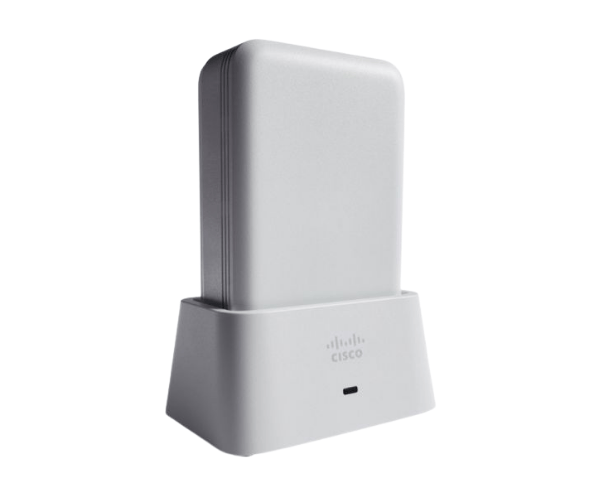
Overview of AIR-OEAP1810-E-K9 Cisco Aironet 1810 OfficeExtend Access Point
The
AIR-OEAP1810-E-K9 Cisco Aironet 1810 OfficeExtend Access Point is a powerful wireless solution designed to extend secure, reliable Wi-Fi to remote work locations. It offers a flexible and secure way to ensure that employees working outside the office maintain the same access to corporate resources as those on-site. With advanced features like dual-band connectivity and seamless device management, the
Cisco Aironet 1810 ensures uninterrupted, high-quality performance in a compact, easy-to-install package.
Why Choose the AIR-OEAP1810-E-K9 Cisco Aironet 1810 OfficeExtend Access Point?
Choosing the
AIR-OEAP1810-E-K9 Cisco Aironet OfficeExtend Access Point ensures that your remote teams can securely access corporate resources from anywhere. This access point is not only reliable but also integrates effortlessly into existing Cisco network environments, making it an ideal choice for businesses looking to expand their wireless infrastructure. It offers enterprise-grade performance, ensuring users enjoy consistent, secure, and fast Wi-Fi connections, no matter their location.
User Experience
Users have reported seamless performance and ease of use with the
Cisco Aironet 1810 OfficeExtend Access Point. Its intuitive setup and high-quality design make it suitable for both IT professionals and end-users alike. The device’s high-speed connectivity and robust security protocols provide peace of mind, ensuring that employees working remotely stay productive without interruptions.
Detailed Breakdown of Features
- Compact Design: With a sleek and minimalist build, the device integrates effortlessly into any environment.
- Dual-Band Connectivity: Operates on both 2.4 GHz and 5 GHz frequencies to ensure superior performance.
- High Data Rates: Capable of delivering up to 867 Mbps, ensuring fast connections.
- Gigabit Ethernet Ports: Comes with 3 Gigabit Ethernet ports for enhanced wired connectivity.
- Power over Ethernet (PoE): Simplifies installation by delivering power and data through a single cable.
- Strong Security: Equipped with WPA2 and 802.1X authentication for enhanced network security.
- Easy Management: Managed through Cisco’s centralized WLAN controllers for easy configuration.
- Interference Reduction: Dual-band support helps minimize interference and maintain stable connections.
- Seamless Integration: Compatible with other Cisco products, ensuring smooth scalability.
- Remote Access: Extends secure corporate network access to remote offices and workers.
Installation Steps
- Unbox the Device: Carefully remove the Cisco OfficeExtend Access Point from the packaging.
- Connect the Ethernet Cable: Plug the Ethernet cable into the access point and your network switch.
- Mount the Device: Secure the access point to a wall or ceiling using the provided mounting hardware.
- Power the Device: If you're using PoE, ensure your switch provides power. Alternatively, use an external power adapter.
- Configure Settings: Use Cisco's intuitive interface to configure network settings and ensure secure connections.
- Test the Connection: Once everything is set up, check the connection to verify optimal performance.
Where Can It Be Used?
The
Cisco Aironet 1810 OfficeExtend Access Point offers flexibility and can be installed in multiple environments:
- Corporate Offices: Extend secure Wi-Fi to remote workstations and ensure consistent productivity.
- Home Offices: Enable secure access to corporate networks from home for remote employees.
- Retail Locations: Ensure reliable wireless connectivity in retail stores to support point-of-sale systems and customer Wi-Fi.
- Healthcare Facilities: Connect medical devices and staff securely for seamless communication and data sharing.
- Educational Institutions: Provide secure, high-speed Wi-Fi for students and staff in remote classrooms.