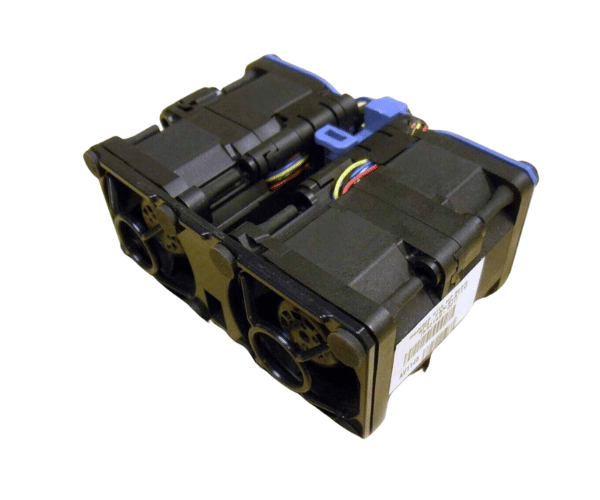
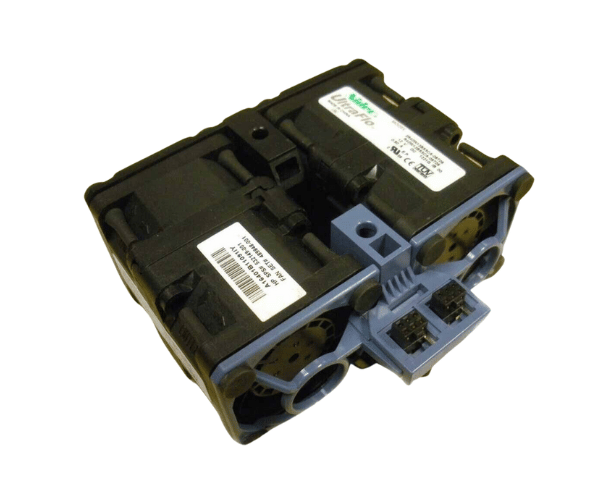
HP 532149-001 Fan Assembly for DL360 G6 G7
The HP 532149-001 Fan Assembly for DL360 G6 G7 is an essential component designed to maintain optimal temperatures within your HP ProLiant DL360 G6 and G7 servers. Ensuring consistent airflow, this fan assembly prevents overheating, safeguarding your server's performance and longevity. Reliable and efficient, the HP 532149-001 Fan Assembly is crucial for businesses relying on these powerful servers.
User Experience
Users of the HP 532149-001 Fan Assembly for DL360 G6-7 appreciate its seamless installation and reliability. Many have found that it effectively maintains server temperatures even under heavy workloads, reducing the risk of overheating. The fan's low noise level ensures a quiet operation environment, which is particularly beneficial in office settings. With its robust construction, users have reported that the HP 532149-001 Fan Assembly delivers long-lasting performance, making it a cost-effective solution for maintaining server efficiency.
Why Choose The HP 532149-001 Fan Assembly for DL360 G6 G7?
The
HP 5321 49-001 Fan Assembly for DL360 G6 G7 is a must-have for businesses that prioritize server uptime and performance. Overheating can lead to hardware failure and data loss, but with the HP 532149-001 Fan Assembly, your DL360 servers will remain cool and operational. The fan is specifically designed for these server models, ensuring a perfect fit and optimal airflow. By choosing the HP 532149-001 Fan Assembly, you are investing in a reliable cooling solution that enhances the longevity and performance of your servers.
Key Features
- High compatibility: Specifically designed for HP ProLiant DL360 G6 and G7 servers.
- Optimal Cooling: Maintains efficient airflow to prevent overheating.
- Quiet Operation: A low noise level of 32 dB ensures a quiet environment.
- Durable Construction: Made from high-density plastic and metal alloy for long-lasting performance.
- Energy Efficient: Operates at 12V DC, minimizing power consumption.
Installation Steps
- Power Down the Server: Ensure the server is turned off and unplugged from the power source.
- Access the Fan Assembly: Open the server chassis to locate the existing fan assembly.
- Remove the Old Fan: Disconnect the old fan from the motherboard and carefully remove it from the chassis.
- Install the New Fans: Position the HP 532149-001 Fan for DL360 G6 G7 in the designated slot.
- Connect the Fan: Attach the 4-pin connector to the motherboard.
- Secure the Fan: Ensure the fan is securely in place within the chassis.
- Close the Chassis: Close the server chassis and secure it with screws.
- Power On the Server: Plug the server back into the power source and turn it on to ensure the fan is functioning properly.