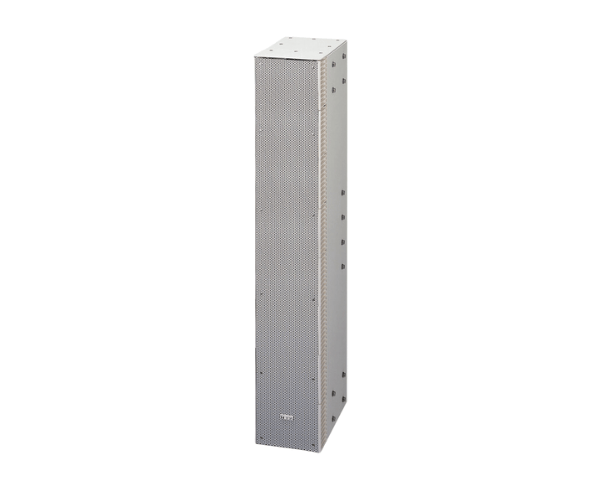
About of Toa SR-S4LWP 2Way Line Array Speaker
The advanced design of the TOA SR-S4LWP 2-Way Line Array Speaker realizes the best sound quality. Best suited for big halls, this unit allows clear audio performance without significant distortion and provides each listener with the best possible sound clarity.
Toa SR-S4LWP 2-Way Line Array Speaker in BD
The Toa SR-S4LWP 2-Way Array Speaker is a powerful audio solution that is aimed at professional sound systems. Constructed to offer class-leading audio performance, this speaker boasts a high-frequency range and balanced output, making it perfect for indoor and outdoor events.
User Experience
The TOA SR-S4LWP 2Way Line Array Speaker provides an unprecedented listening experience. It is regarded by users as being very consistent in its powerful dispersion, even in large rooms. The advanced array design provides minimum distortion for crystal-clear speech, music, and other audio sources. It is also very easy to install in the existing sound system and is versatile for professional audio setups. The TOA SR-S4LWP was designed to be very reliable. It features excellent sound quality, ideal for concerts conferences, and outdoor events. Because of its high SPL capability, it is very suitable for demanding environments.
Why Choose the Toa SR-S4LWP 2Way Line Array Speaker?
- Exceptional Audio Clarity: Delivers clear, balanced sound with minimal distortion.
- High SPL Performance: Capable of producing high output, ideal for large venues.
- Wide Frequency Response: Provides a full range of audio from low to high frequencies.
- Durable Build: Weather-resistant coating ensures reliability in different environments.
- Easy Integration: Works seamlessly with other professional audio equipment.
- Perfect for Professionals: Designed for use in demanding sound environments like concerts, conferences, and outdoor events.
Installation Steps
- Unbox the Toa SR-S4LWP 2-Way Line Array Speaker and check for any damage.
- Mount the speaker using the included hardware or appropriate rigging equipment.
- Connect the speaker to your audio system with the proper cables.
- Adjust the speaker’s angle and position for optimal sound coverage.
- Power on the system and perform a sound check to ensure proper functioning.
- Fine-tune the audio settings for best sound quality.