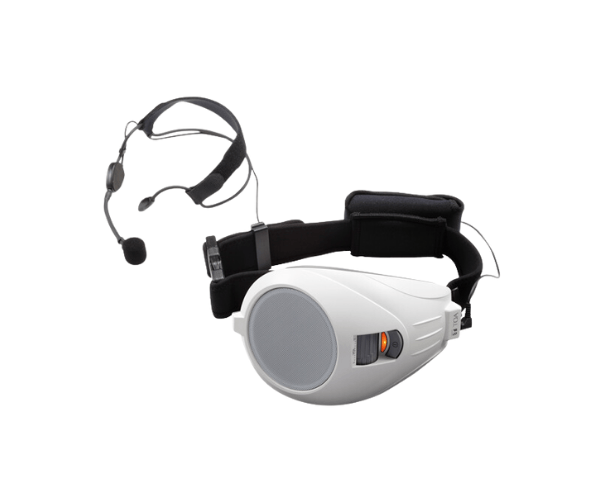
About of Toa ER-1000AWH Personal PA System
The
Toa ER-1000A-WH Personal PA System is a lightweight, portable, and user-friendly audio solution. It ensures clear sound projection, making it perfect for small gatherings, classrooms, and presentations where voice clarity is essential.
Specification
| Feature |
Details |
| Model |
Toa ER-1000A-WH |
| Power Output |
6W (Rated) / 10W (Maximum) |
| Battery Type |
Rechargeable lithium-ion battery |
| Battery Life |
Up to 8 hours |
| Microphone Type |
Built-in and external mic options |
| Frequency Response |
300 Hz – 14 kHz |
| Dimensions |
133 x 85 x 258 mm |
| Weight |
0.65 kg (including battery) |
| Color |
White |
Description
ER-1000A-WH Personal PA System in BD
The
Toa ER-1000A-WH Personal PA System is designed for individuals needing a reliable and portable amplification solution. It combines lightweight construction with robust sound quality, making it ideal for small audiences in educational, corporate, and recreational environments.
User Experience
Users praise the
Toa ER-1000A-WH PA System for its portability and ease of use. Its compact size and lightweight build make it effortless to carry and operate. The long battery life ensures uninterrupted sessions, whether used in classrooms, guided tours, or small events. The clear audio projection enhances communication, ensuring every word is heard. The built-in microphone is convenient, while the option for an external mic adds flexibility. Overall, it’s a dependable choice for personal sound amplification needs.
Why Choose the Toa ER-1000AWH Personal PA System?
- Portable and Lightweight: Easy to carry and use anywhere.
- Clear Sound Quality: Delivers sharp, distortion-free audio for effective communication.
- Long Battery Life: Operates for up to 8 hours on a single charge.
- User-Friendly Design: Simple controls and built-in mic for quick setup and use.
- Versatile Applications: Suitable for classrooms, tours, presentations, and small gatherings.
Installation Steps
- Unbox the Toa ER-1000A-WH PA System and check all components.
- Charge the device fully using the provided charger.
- Turn on the system by pressing the power button.
- Use the built-in microphone or connect an external mic via the input jack.
- Adjust the volume control to the desired level.
- Test the audio output to ensure clear sound projection.