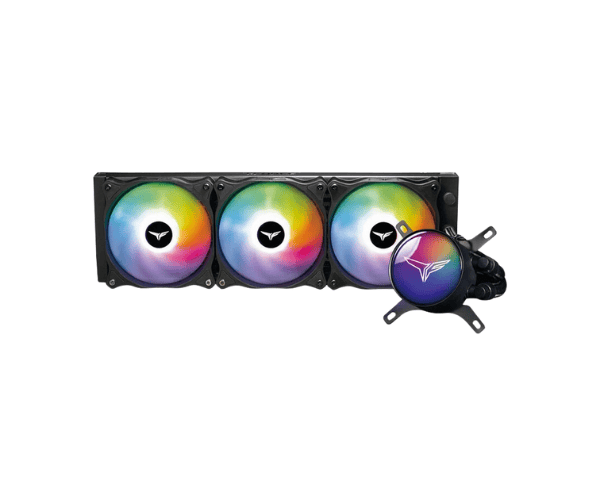
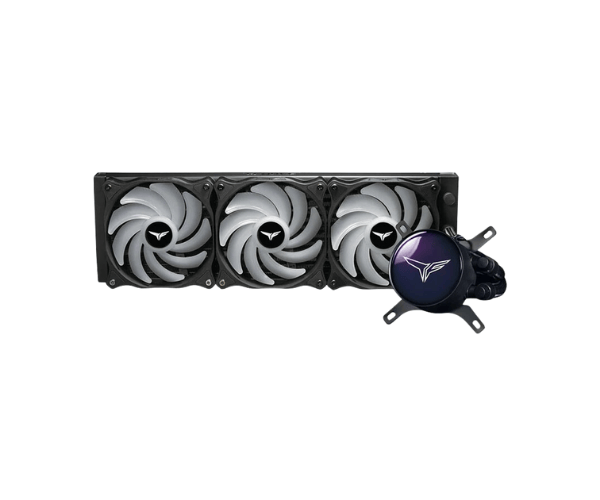
About this Team T-Force SIREN GD360E ARGB AIO Black CPU Cooler
The Team T-Force SIREN GD360E ARGB AIO Black Liquid CPU Cooler provides top-notch cooling performance with customizable ARGB lighting. Designed for high-end gaming PCs, it ensures efficient thermal management and a sleek, futuristic look, enhancing both performance and aesthetics.
Specification
| Feature |
Details |
| Brand |
Team |
| Model |
Team Force SIREN GD360E |
| Cooler Type |
Liquid CPU Cooler |
| Series |
Force |
| Theme Display |
Yes |
| Bearing Type |
Hydraulic Bearing |
| Number of Fans |
3 |
| Fan Size (Height) |
120mm |
| Fan Speed |
2200 RPM |
| Fan Dimensions |
120 x 120 x 25mm |
| Radiator Material |
Aluminum |
| Water Block Material |
Copper & Aluminum |
| LED Color |
ARGB |
| Approx. Power Consumption |
15W |
| Supported CPU Socket Brand |
Intel & AMD |
| Body Color |
Black |
Description
Team T-Force SIREN GD360E ARGB AIO Black Liquid CPU Cooler in BD
Well dear readers, the Team T-Force SIREN GD360E ARGB Black Liquid CPU Cooler has been delivered to us to review the specifications: 'advanced cooling at full performance with fabulous visual effects.' The 360mm radiator size promises efficiency for even the most challenging processors alongside the high-class ARGB lighting already provided within. Gamers and PC builders sit back and relax as it keeps their intense activity at the maximum temperature level.
User Experience
For users who intend to utilize the performance of the Team T-Force SIREN GD360E CPU Cooler, there is hardly a sound heard during work but high functionality. It is designed to be very simple, hence a person unfamiliar with such things can also install it. The 360mm radiator provides sufficiently cool temperatures during gaming or very heavy activities for the CPU. The ARGB lighting can be customized and adds a special effect to your build in quite a nice way. Customers report that they have not experienced something like this liquid cooler, as the temperature levels are much lower as compared with any other air coolers.
Why Choose the Team T-Force SIREN GD360E Liquid CPU Cooler?
First, by choosing Team T-Force SIREN GD360E ARGB AIO Black Liquid CPU Cooler, you are ensured of a product that values both performance and appearance. 360mm of cooling and ARGB light makes it an ideal product for all gamers or PC builders who appreciate the beauty of tempered glass cases but want low temperatures at all times. Its quiet running, high efficiency cooling performance, and very easy installation process are really what make it your secret weapon in convincing beginner users as well as experienced people to use this unit. If a cooler has to be the best in performance and aesthetics, then it definitely has to be Team T-Force SIREN GD360E ARGB CPU Cooler.
Installation Steps.
- Prepare Your Workspace: It's one thing if the 360mm radiator gets all in place; it's another if the rest of the components of the cooler, fans, pump, screws, and mounting brackets, are also there.
- Attach the Fans to the Radiator: Use the screws that came with the fans to mount the 120mm fans into the radiator in a push or pull configuration, depending on your case setup.
- Install Mounting Brackets: For attaching the right mounting bracket for your CPU socket (Intel or AMD), adapt it to the pump unit.
- Place the Pump on the CPU: Apply thermal paste (if not pre-applied) and place it carefully onto the CPU. Afterwards, secure it with screws provided with the kit.
- Connect the ARGB cable: Insert the ARGB cable from the cooler into your motherboard or ARGB controller for customization.
- Connect the Cooler to Power: Attach the fan wires to the fan headers on the motherboard or the provided fan hub.
- Final Checks: Ensure that all the components are attached properly and cables are connected as intended.
- Power On: Start your system, monitor the temperatures, and adjust the ARGB lighting settings to your preference.
What is the Price of the Team T-Force SIREN GD360E ARGB AIO Black Liquid CPU Cooler in Bangladesh?
The latest price of
Team T-Force SIREN GD360E ARGB AIO Black Liquid CPU Cooler in Bangladesh depends on quantity.
Crystal Vision Solutions ensure This product has the best market price in Bangladesh. Our product is 100% original and lowest price in Bangladesh. All kinds of services are the best in Bangladesh, and contact us for any information and latest price.