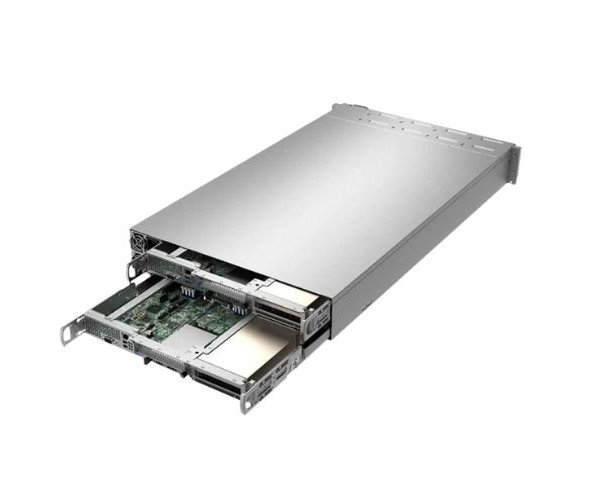
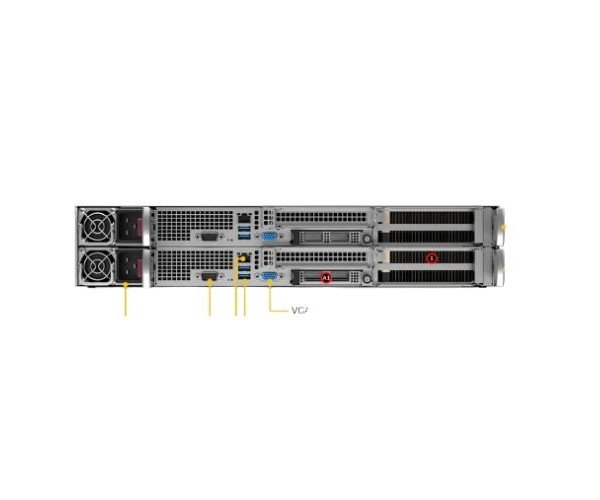
About the Supermicro GPU SuperServer SYS-210GP-DNR 2U Rackmount Servers
The Supermicro GPU SuperServer SYS-210GP-DNR 2U Rackmount Server is a high-performance GPU system designed for AI, machine learning, and data processing tasks. Its powerful CPU and GPU support make it perfect for data centers and HPC environments.
Supermicro GPU SuperServer SYS-210GP-DNR 2U Rackmount Server in BD
The Supermicro GPU SuperServer SYS-210GP-DNR 2U Rackmount Servers is engineered to support the growing demand of AI workloads and data processing. With dual Intel Xeon CPUs and space for multiple GPUs it delivers strong computing power in a compact form ideal for enterprise-level deployments and modern data centers.
User Experience
Users of the Supermicro GPU SuperServer SYS-210GP-DNR 2U Rackmount Server have praised its consistent high performance, especially when handling complex AI and ML training. IT teams find it easy to configure, and system administrators appreciate the remote IPMI tools for managing workloads. Thanks to efficient cooling, it runs stable even under GPU-heavy loads. From data centers to research labs, the system is valued for its reliability upgrade options, and well-planned airflow design. This server makes GPU computing easier faster and more efficient for professionals across different industries.
Why Choose the Supermicro GPU SuperServer SYS-210GP-DNR 2U Server?
The Supermicro GPU SuperServer SYS-210GP-DNR 2U Rackmount Server stands out because of its robust hardware support, future-ready architecture, and enterprise-grade stability. With dual Intel Xeon processor sockets, fast 10G networking, and up to 2 high-end GPUs, this system is ready for heavy computational tasks like AI, deep learning, and virtualization. It is space-efficient 2U design allows more performance per rack, and Supermicro’s trusted build quality ensures long-term durability. For anyone seeking a GPU-based server with flexibility and consistent performance the Supermicro GPU SuperServer SYS-210GP-DNR 2U Server is the right choice.
Installation Steps
- Unpack Server – Open the packaging and take out the Supermicro GPU SuperServer SYS-210GP-DNR 2U Server.
- Rack Mount – Securely mount the server into a standard 19-inch rack using rails.
- Install CPUs and Memory – Insert compatible Intel Xeon processors and ECC RAM.
- Install GPUs – Fit up to 2 double-width GPUs in the PCIe x16 slots.
- Add Storage Drives – Insert SATA/SAS/NVMe drives into the front hot-swap bays.
- Connect Power & Network – Plug in the dual redundant power cables and 10G network connections.
- Boot & Configure BIOS – Power on and access BIOS settings for initial configuration.
- Install OS or Hypervisor – Load Linux, Windows Server, or a virtualization platform like VMware.
- Set Up Remote Access – Enable IPMI and KVM over LAN for remote system monitoring.
- Begin Deployment – Start running your GPU-accelerated tasks.