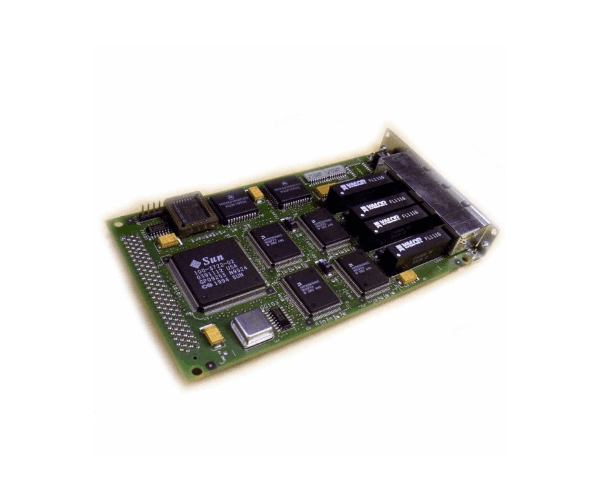
Buy the Sun X1058A SBus Quad Ethernet Controller
The Sun X1058A SBus Quad Ethernet Controller, designed for Sun Microsystems workstations and servers, delivers high performance as a network interface card. Equipped with four Ethernet ports, this robust controller efficiently handles multiple network connections, significantly enhancing network throughput and redundancy.
Key Features
- Quad Ethernet Ports: Provides four 10Base-T Ethernet ports, allowing for extensive network connectivity and configuration options.
- SBus Interface: Designed for compatibility with the SBus interface standard, ensuring easy integration with Sun workstations and servers.
- Enhanced Network Performance: Facilitates high-speed data transmission and reliable connectivity for managing intensive network tasks.
Detailed Breakdown of Features
- Multiple Connections: Supports up to four simultaneous Ethernet connections, optimizing network traffic and load balancing.
- Compatibility: Works seamlessly with a variety of Sun Microsystems models, ensuring broad applicability across older and newer systems.
- Durability: Built to withstand rigorous enterprise environments, providing reliability and a long service life.
User Experience
Users of the Sun X1058A S Bus Quad Ethernet Controller appreciate its reliability and the ability to expand network capabilities without significant hardware changes. It is especially valued in environments where stable and extensive network connections are critical, such as in data centers and large-scale IT deployments.
Why Choose the Sun X1058A SBus Quad Ethernet Controller?
Opting for the
Sun X1058A S Bus Quad Ethernet Controller means choosing a product known for its reliability and exceptional performance in Sun Microsystems ecosystems. Its ability to manage multiple connections simultaneously ensures that network systems run more efficiently and with greater redundancy.
Installation Steps
- Power Down: Ensure the system is powered down and disconnected from any power source.
- Access the Chassis: Remove the chassis cover of your Sun workstation or server.
- Install the Card: Insert the Ethernet controller card into an available SBus slot.
- Secure the Card: Fasten the card using the provided screws or clips.
- Connect Ethernet Cables: Attach Ethernet cables to the ports on the card.
- System Configuration: Power up the system and configure network settings through the OS.
Uses of the Sun X1058A SBus Quad Ethernet Controller
This Ethernet controller is ideal for applications that require multiple network connections, such as server farms, data centers, and large office environments. It is also suitable for redundancy setups, ensuring continuous network availability.