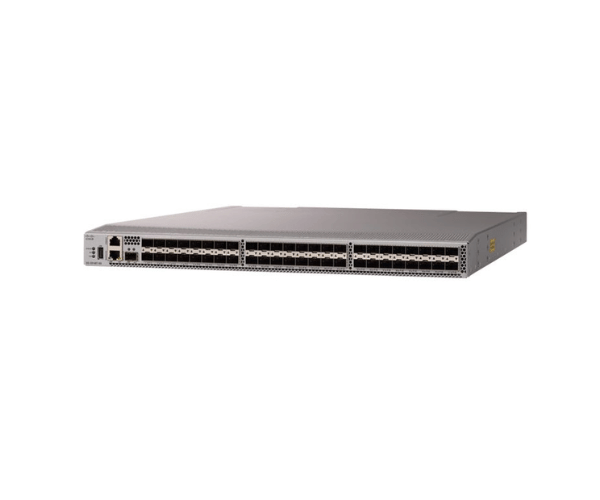
Get the HPE Storage Network Switches R0P14A
R0P14A-HHPE Storage Network Switches are designed to meet the ever-growing demands of modern data centers. These switches offer high-speed connectivity and robust performance, ensuring seamless data transfer and efficient storage management. With 48 fiber-channel ports and a data transfer rate of 32 GB/s, they deliver exceptional speed and reliability for enterprises looking to optimize their storage networks.
Key Features:
- High Port Density: 48 fiber Channel ports for extensive connectivity.
- Superior Speed: 32 GB of SFP+ for ultra-fast data transfer.
- Energy-Efficient: Low power consumption with high-efficiency fans.
- Advanced Management: Integrated tools for simplified network management.
- Redundant Power Supply: Dual, redundant power supplies for uninterrupted operation.
User Experience:
Users of the
R0P14A - HPE Storage Network Switches report a significant improvement in network performance. The high port density and fast data transfer rates make these switches ideal for businesses with heavy data traffic. The easy installation and integrated management tools simplify the setup and maintenance process, making these switches a favorite among IT professionals.
Why Choose R0P14A - HPE Storage Network Switches?
Choosing the
R0P14A - HPE Storage Network Switches means investing in a product that offers speed, reliability, and energy efficiency. Whether managing a small business or a large enterprise, these switches provide the flexibility and performance to handle complex storage networks. The dual power supply ensures your network remains operational despite a power failure, offering peace of mind and continuous uptime.
Installation Steps:
- Unbox the Product: Carefully unbox the R0P14A-HHP Storage Network Switches and check all components.
- Mount the Switch: Place the switch within your data center in a suitable rack-mountable space.
- Connect Power Supplies: Attach the dual power supplies to the appropriate outlets.
- Connect to Network Devices: Use fiber-channel cables to connect the switch to your storage devices.
- Configure the Switch: Access the integrated management tools to configure the network settings according to your requirements.
- Test the Setup: Run initial tests to ensure the switches function correctly.
Uses of the R0P14A-HHPE Storage Network Switches:
The
R0P14A-HHP Storage Network Switches are perfect for enterprises that require fast, reliable, and scalable network solutions. They are ideal for data centers, financial institutions, healthcare facilities, and businesses needing robust storage management.