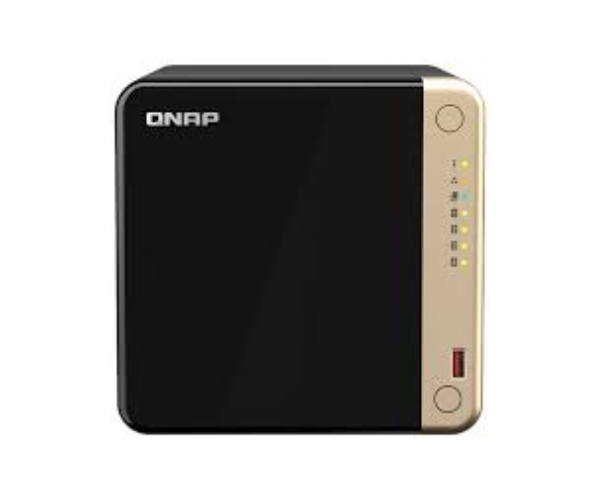
QNAP TS-464-8G 4-Bay desktop NAS is a compact and powerful network-attached storage solution designed for home offices and small businesses. With four drive bays, robust hardware, and advanced features, this NAS offers reliable data storage and management capabilities.
Key Features:
- High-Capacity Storage: Supports up to four 3.5" or 2.5" SATA hard drives or SSDs.
- Quad-core Processor: Quad-core 1.7 GHz processor for efficient performance.
- 8GB DDR4 RAM: Ensures smooth operation and multitasking capabilities.
- Dual Gigabit Ethernet Ports: Provides reliable network connectivity.
- RAID Support: Supports RAID 0, 1, 5, 6, 10, JBOD for data protection and redundancy.
- Comprehensive Backup Solutions: Includes snapshot protection and backup facilities.
- Intuitive QTS Operating System: User-friendly interface for easy management and setup.
Detailed Breakdown of Features
- Powerful Processor: Quad-core 1.7 GHz processor for handling intensive tasks and applications.
- High-Speed Connectivity: Dual Gigabit Ethernet ports ensure fast and reliable network access.
- Expandable Memory: 8GB DDR4 RAM enhances system performance and multitasking capabilities.
- Flexible RAID Configurations: Supports multiple RAID levels to safeguard data and optimize storage efficiency.
- Comprehensive Backup Solutions: Includes snapshot protection and backup facilities for data security and recovery.
User Experience
Users of the
QNAP TS-464-8G 4-Bay desktop NAS appreciate its compact size, robust performance, and ease of use. The intuitive QTS operating system simplifies setup and management, making it ideal for both novice users and IT professionals. Its reliability and data protection features ensure peace of mind when storing important data.
Why Choose QNAP TS-464-8G 4-Bay Desktop NAS?
Choosing the
QNAP TS-464-8G 4-Bay desktop NAS means investing in a reliable and scalable storage solution tailored to meet the needs of home offices and small businesses. Its powerful hardware, comprehensive backup options, and user-friendly interface make it an ideal choice for efficient data management and storage.
Installation Steps
- Unbox the Device: Remove the QNAP TS-464-8G 4-Bay desktop NAS from its packaging.
- Install the Drives: Insert up to four 3.5" or 2.5" SATA drives into the drive bays.
- Connect to Power: Plug in the power adapter to provide power to the NAS.
- Connect to Network: Use Ethernet cables to connect the NAS to your network router or switch.
- Power On and Configure: Power on the NAS and follow the on-screen instructions to set up the QTS operating system and configure RAID settings.
- Access and Manage: Access the NAS via web interface or QNAP's desktop utility for advanced management and configuration.
Where It Can Be Used
The
QNAP TS-464-8G 4-Bay desktop NAS is suitable for various applications:
- Home Offices: Store and access files, media, and backups for home-based businesses.
- Small Businesses: Provide centralized storage and data management solutions.
- Personal Use: Back up and access personal data securely and efficiently.