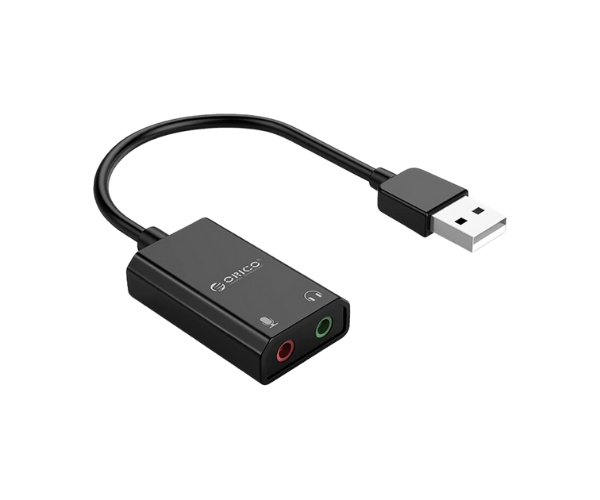
About this ORICO USB External Sound Card
The ORICO USB External Sound Card offers high-quality audio performance with easy installation. Compatible with various devices, it enhances your sound experience for gaming, music, and video calls. Perfect for users seeking reliable, portable sound solutions.
Specification
| Feature |
Details |
| Brand |
ORICO |
| Model |
USB External Sound Card |
| Connectivity |
USB 2.0 |
| Audio Output |
3.5mm Stereo Jack |
| Microphone Input |
3.5mm Microphone Jack |
| Compatibility |
Windows, macOS, Linux |
| Material |
ABS Plastic |
| Support Audio Formats |
PCM 16-bit 48kHz, 44.1kHz |
| Dimensions |
3.9 x 1.4 x 0.5 inches |
| Color |
Black |
Description
ORICO USB External Sound Card in BD
The ORICO USB Sound Card is a very pocket-sized, yet powerful device, for improving audio quality. Entirely plug-and-play without requiring drivers, it is excellent for gamers, streamers, and professionals seeking superior sound output and microphone input. This external sound card provides crisp audio, whether for gaming or conference calls.
Using Experience
ORICO Sound Card user experiences show to have been seamless across platforms. Users have been impressed by the true plug-and-play installation: no complicated software setup was needed. It's a huge improvement in sound from what you may be used to; clear high notes with deep low ones make it a very cool attachable peripheral for gamers or anyone who values their sound. Its microphone input also works well by itself, and it's very good for VOIP calls, streaming, and podcasting. It's tiny and very light, super easy to carry so that people can take it anywhere without losing quality.
Why Choose The ORICO External Sound Card?
The main standout features of the ORICO USB External Sound Card will be the uncomplicated setup and its notable sound quality. Looking for an audio upgrade solution that is not bulky and complicated? The ORIC Sound Card is as simple a solution as they come. With this dimension and top-of-the-line sound along with multi-device compatibility, it becomes a top choice for any gamer, musician, or even professionals. Whether you want to enhance your gaming with the addition, upgrade your sound on video calls to become great, or just want to kick your sounding music to the best, the ORICO USB Sound Card will make for a sound investment.
Installation Steps
- Put the ORICO USB Sound Card in into an available USB port on your device.
- The device will automatically be recognized, with no additional drivers required.
- For audio output, connect your headphones or speakers to the 3.5mm stereo jack.
- For microphone use, connect your microphone into the 3.5mm microphone jack.
- Able to adjust your system audio settings to select ORICO USB sound card as default audio device after attaching.
- Check both sound output and microphone input to see if everything is functioning perfectly.
What is the Price of the ORICO USB External Sound Card in Bangladesh?
The latest price of
ORICO USB External Sound Card in Bangladesh depends on quantity.
Crystal Vision Solutions ensure This product has the best market price in Bangladesh. Our product is 100% original and lowest price in Bangladesh. All kinds of services are the best in Bangladesh, and contact us for any information and latest price.