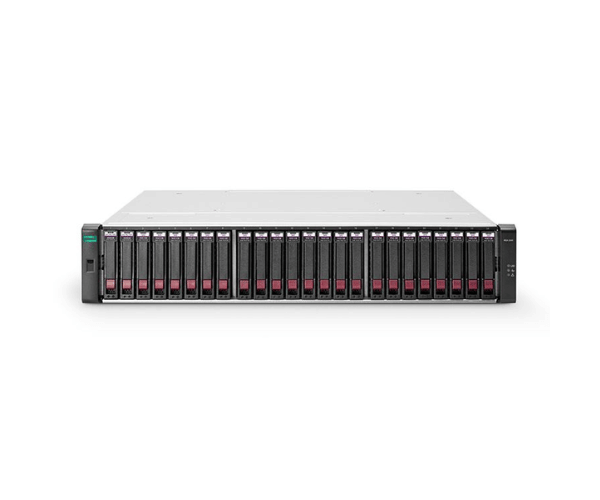
Buy the M0T00A - HPE MSA Storage Controllers
HPE designed the cutting-edge MSA Storage Controllers solution to address the growing need for high-performance, reliable data storage in businesses. This product—specifically the M0T00A - HPE MSA Storage Controllers—offers a one-of-a-kind combination of scalability, efficiency, and speed, making it an indispensable asset for any business requiring seamless data management. The capacity to support up to 28.80 TB of data storage, high-speed SAS and Fibre Channel interfaces, and dual controllers for increased reliability are important features.
User Experience:
The
M0T00A - HPE MSA Storage Controllers' incorporation into an organization's IT infrastructure has resulted in significant enhancements in data management efficiency. Because of its rack-mountable design, the system is simple to install in existing server racks, conserving valuable space while still maintaining a professional appearance. Users appreciate the user-friendly interface, which makes it easier to manage the storage system and lets IT teams concentrate on other important tasks. Daily operations have become more streamlined as a result of the high data transfer rates and large storage capacity, making it possible to quickly access and store even large files.
Why Choose M0T00A - HPE MSA Storage Controllers?
Reliability and performance are the driving forces behind the decision to go with the
M0T00A - HPE MSA Storage Controllers. With its 12Gb/s SAS and 10 Gigabit Ethernet technologies, this product stands out for its ease of handling large data volumes and unparalleled speed. Because of the system's scalability, your data storage capacity can grow with your business. In addition, the dual-controller design adds an extra layer of security, ensuring that your data is always accessible at any time. This product gives businesses in Bangladesh (BD) peace of mind and a competitive edge in data management, making it a sound investment for the future.
Installation Steps:
Installing the
M0T00A - HPE MSA Storage Controllers is a straightforward process, especially for those familiar with IT infrastructure. Here’s a quick guide:
- Unpack and Inspect: Ensure that all components are present and undamaged.
- Rack Installation: Mount the storage system into your server rack, ensuring it is securely fastened.
- Connect Power and Network Cables: Plug in the power cables and connect the storage system to your network using the Ethernet or Fibre Channel interfaces.
- Install Hard Drives: If not pre-installed, insert the hard drives into the available bays.
- Power On: Tunagement: Offers the speed and reliability needed for managing large databases.
- File Storage: Ideal for companies with significant data storage needs, providing quick access to large files.
- Enterprise Resource Planning (ERP) Systems: Supports the high data demands of ERP software.