About of Intel SSDSC2BB300G4 Solid State Drive 300 GB SATA
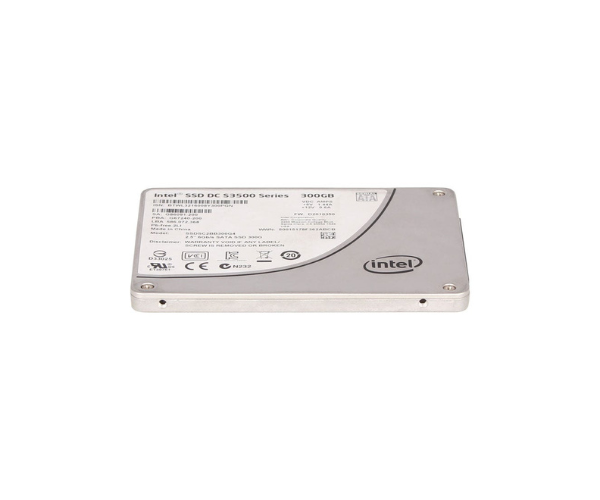
The Intel SSDSC2BB300G4 Solid State Drive 300GB SATA delivers fast, reliable, and secure storage for desktops and servers. Designed with endurance and performance in mind, it ensures smooth multitasking, quick boot times, and dependable data access for professionals and home users alike.
Intel SSDSC2BB300G4 Solid State Drive 300GB SATA in BD
The Intel SSDSC2BB300G4 Solid State Drive 300GB SATA is built for users who need speed and stability in a compact form. Whether you're upgrading a PC or running a business server, this SSD offers the balance of performance and durability expected from the Intel brand. Perfect for multitasking environments.
User Experience
Users of the Intel SSDSC2BB300G4 Solid State Drive 300 GB SATA report impressive improvements in system performance. Boot times drop to seconds, file transfers feel instant, and applications launch faster than ever. It runs silently, generates less heat, and consumes very little power, making it ideal for quiet or compact setups. Gamers enjoy quicker load times, and business users experience more responsive systems. Data access is secure and consistent, with minimal lag. Users have praised its reliability and have had peace of mind using it for long periods without performance drops.
Why Choose the Intel SSDSC2BB300G4 Solid State Drive 300GB SATA?
There are many solid-state drives out there, but the Intel SSDSC2BB300G4 Solid State Drive 300GB SATA stands out for its trusted Intel technology, long life cycle, and consistent speed. It's built with MLC NAND flash that lasts longer than TLC and offers higher write endurance. The 300GB capacity is ideal for OS installations, productivity software, and light storage needs without sacrificing performance. Whether you're building a new PC or upgrading an old one, the Intel SSDSC2BB300G4 300GB Solid State Drive is a cost-effective way to boost speed and dependability.
Another reason to choose this SSD is Intel’s focus on data integrity and thermal management. The Intel SSDSC2BB300G4 Solid State Drive 300GB includes advanced error correction and power-loss protection. This means you get a drive that keeps your data safe during power interruptions and runs cool even under pressure.
Installation Steps
-
Backup Your Data
Always back up important data before replacing or upgrading your storage.
-
Turn Off the Computer
Shut down the PC and unplug it from the power source.
-
Open the Computer Case
Use a screwdriver to open your desktop or laptop’s storage bay area.
-
Mount the SSD
Place the Intel SSDSC2BB300G4 SSD 300GB SATA into the 2.5-inch drive slot or mount with a 2.5” to 3.5” adapter if needed.
-
Connect the Cables
Attach the SATA data cable to the motherboard and connect the SATA power cable from the power supply.
-
Close the Case and Power On
Secure the case, reconnect power, and boot the system.
-
Initialize the Drive
Use Windows Disk Management or BIOS to initialize and format the drive if it’s new.
-
Install OS or Transfer Data
Install your operating system or clone your previous drive using a migration tool.



-70x60h.png "Intel 1.92TB S4520 SATA SSD (SSDSC2KB019TZ01)")


