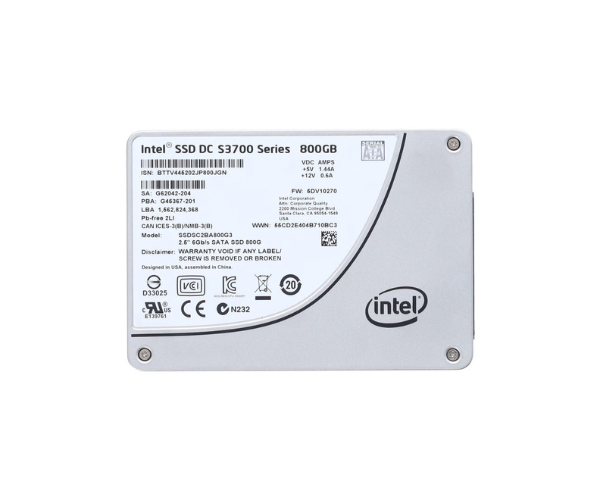
About the Intel SSDSC2BA800G301 S3700 Series 800 GB 6G SATA SSD
The Intel SSDSC2BA800G301 S3700 Series 800GB 6G SATA SSD is a high-performance solid-state drive built for heavy workloads. It offers fast read/write speeds, strong data protection, and excellent reliability, making it perfect for enterprise storage needs.
Intel SSDSC2BA800G301 S3700 Series 800GB 6G SATA SSD in BD
The Intel SSDSC2BA800G301 S3700 Series 800GB 6G SATA Solid State Drive is specially made for demanding data center operations and high-performance systems. With a strong build and Intel's trusted HET MLC NAND, this SSD delivers outstanding endurance, fast speeds, and low latency for smooth and steady performance in mission-critical environments.
User Experience
Users who have switched to the Intel SSDSC2BA800G301 S3700 Series 800GB 6G SATA SSD report much faster system responses and consistent performance under stress. Whether it's handling large files or running high-speed databases, this SSD performs without slowing down. It gives peace of mind through its long endurance, and there's no noticeable lag or delay, even after years of use. The 2.5-inch design fits easily in most servers and desktops, making it a smart upgrade choice. No noise, no heat issues—just pure, reliable speed and stability all day.
Why Choose the Intel SSDSC2BA800G301 S3700 800GB 6G SATA SSD?
The Intel SSDSC2BA800G301 S3700 800GB 6G SATA SSD stands out for its powerful performance and top-grade reliability. With read/write speeds built for heavy workloads, it helps boost productivity in business and enterprise setups. Intel’s HET MLC technology ensures long life, while low power use keeps your system cool and efficient. It’s ideal for servers, high-end desktops, and workstations where uptime and speed matter. If you're serious about stability, speed, and long-term value, the Intel SSDSC2BA800G301 S3700 800GB 6G SATA SSD is your smart storage solution.
Installation Steps
-
Power Off your system and unplug it from power.
-
Open the case of your desktop or server.
-
Locate the 2.5-inch drive bay and insert the SSD securely.
-
Connect the SATA data cable from your motherboard to the SSD.
-
Connect the SATA power cable from your power supply.
-
Close the case and plug the power back in.
-
Turn on the system and go to BIOS to check if the SSD is recognized.
-
Install your operating system or clone your current drive.



-70x60h.png "Intel 1.92TB S4520 SATA SSD (SSDSC2KB019TZ01)")


