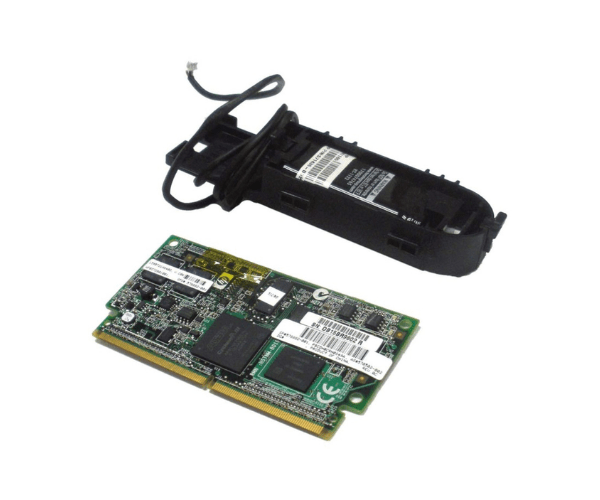
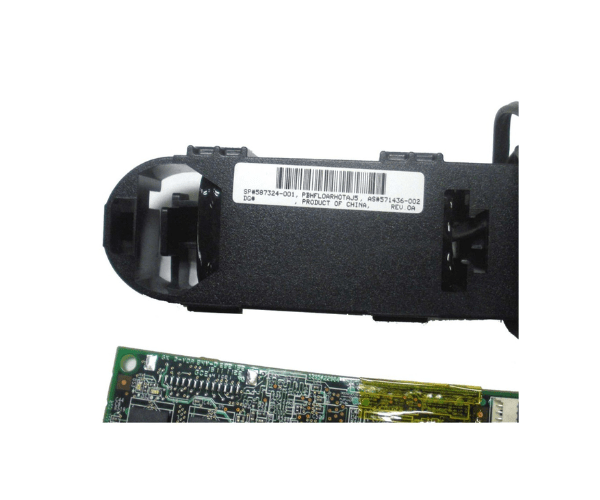
HP rx2800 AM252A SA 512MB Cache/ Super Capacitor Kit Adapter
The HP rx2800 AM252A SA 512MB Cache/ Super Capacitor Kit Adapter is a high-performance upgrade designed to enhance data reliability and improve server efficiency. This kit ensures data integrity and boosts system performance, making it an essential component for demanding server environments.
User Experience
Users of the HP rx2800 AM252A SA 512MB Cache / Super Capacitor Kit report significant improvements in server response times and overall system performance. The enhanced cache capacity allows for faster data processing and reduced latency. Additionally, the super capacitor ensures data is safely written to storage in case of a power failure, providing peace of mind and reliability.
Why Choose the HP rx2800 AM252A SA 512MB Cache / Super Capacitor Kit Adapter?
The
HP rx2800 AM252A SA 512MB Cache / Super Capacitor Kit is the ideal choice for businesses seeking to maximize their server performance and reliability. With its substantial 512MB cache size, this kit significantly enhances data processing speed. The super capacitor provides a crucial safety net, ensuring data integrity during unexpected power outages. By choosing the HP rx2800 AM252A SA 512MB Cache / Super Capacitor Kit, businesses can enjoy a more efficient and dependable server environment.
Key Features
- High-Speed Cache: 512MB cache size for improved data processing.
- Super Capacitor: Ensures data integrity during power failures.
- Enhanced Compatibility: Specifically designed for HP rx2800 servers.
- Improved Performance: Reduces latency and enhances server response times.
- Reliable and Safe: Provides peace of mind with secure data write-back.
Installation Steps
- Power Down the Server: Ensure the HP rx2800 server is completely powered off before installation.
- Locate the Cache Slot: Open the server chassis and locate the designated cache slot.
- Insert the Cache Module: Carefully insert the HP rx2800 AM252A SA 512MB Cache / Super Capacitor Kit into the slot.
- Secure the Module: Make sure the module is firmly seated and secure it in place.
- Reconnect and Power Up: Close the server chassis, reconnect any disconnected cables, and power up the server.
- Verify Installation: Check the server BIOS or management interface to verify that the cache module is recognized and functioning.