HP AH339-67001 AH339-2108C Replacement CPU Heatsink Superdome 2
The
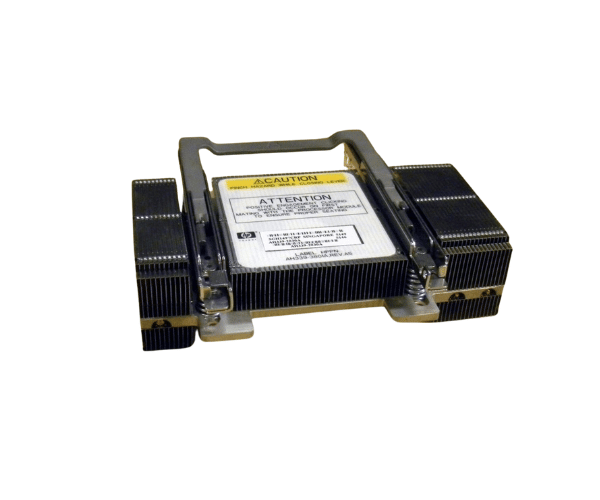
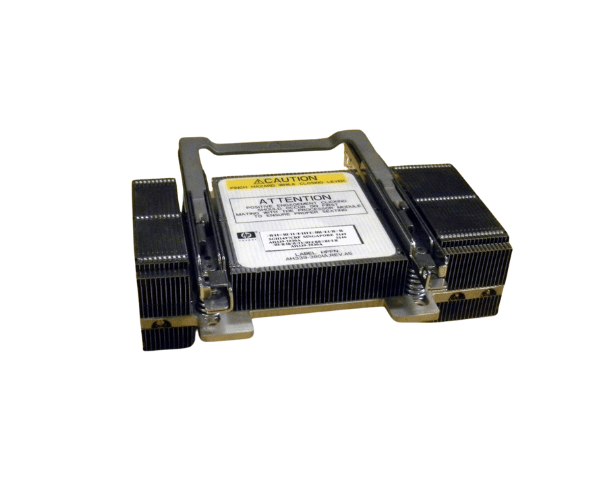
HP AH339-67001 AH339-2108C Replacement CPU Heatsink for Superdome 2 is essential for maintaining optimal cooling and performance in your HP Superdome 2 server. Designed as a direct replacement, this heatsink ensures efficient heat dissipation, safeguarding your CPU from overheating and enhancing system stability.
User Experience
Users of the
HP AH339-67001 AH339-2108C CPU Heatsink for Superdome 2 have reported improved server performance and reliability. The heatsink efficiently manages CPU temperatures, even during intensive operations, preventing thermal throttling and system crashes. The precise design ensures a snug fit within the HP Superdome 2, making installation straightforward and effective. Customers appreciate the high-quality materials used, which contribute to the heatsink's durability and long-term performance. Overall, it enhances the server's cooling capabilities, ensuring consistent operation and extending the lifespan of your hardware.
Why Choose the HP AH339-67001 AH339-2108C Replacement CPU Heatsink for Superdome 2?
Choosing the
HP AH339-67001 AH339-2108C CPU Heatsink for Superdome 2 means opting for reliable and efficient cooling tailored specifically for your HP Superdome 2 server. This replacement heatsink is designed to deliver superior thermal management, ensuring that your CPU remains cool under heavy loads. By replacing the old or failing heatsink with this high-performance model, you enhance the stability and longevity of your server. Its custom-fit design ensures seamless integration, reducing the risk of overheating and maintaining peak performance. The
HP AH339-67001 AH339-2108C is a smart choice for maintaining optimal server functionality and protecting your investment in high-performance computing.
Key Features
- Precision Fit: Designed specifically for the HP Superdome 2, ensuring a perfect match.
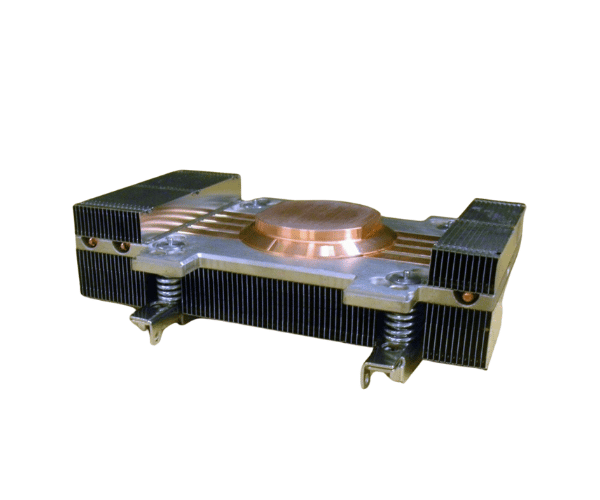
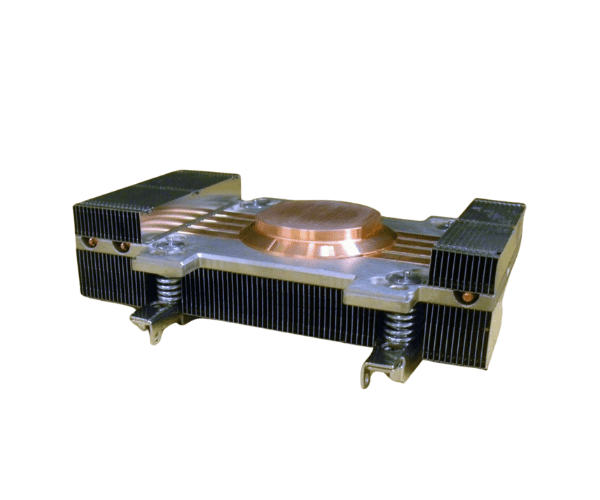
- High Thermal Conductivity: Made from aluminum and copper for effective heat dissipation.
- Durable Construction: Lightweight yet robust design for long-lasting performance.
- Easy Installation: Screw-mounted for a secure and straightforward setup.
- Enhanced Cooling Efficiency: Prevents overheating and maintains optimal CPU temperature.
Installation Steps
- Power Down the Server: Ensure the HP Superdome 2 server is turned off and disconnected from the power supply.
- Open the Server Case: Remove the server's cover to access the CPU and existing heatsink.
- Remove Old Heatsink: If replacing an old heatsink, carefully unscrew and remove it from the CPU.
- Clean the CPU Surface: Wipe away any old thermal paste from the CPU surface using a clean cloth.
- Apply New Thermal Paste: Apply a thin layer of thermal paste to the CPU surface for improved heat transfer.
- Install the New Heatsink: Align the HP AH339-67001 AH339-2108C CPU Heatsink with the CPU and secure it using the screws provided.
- Check the Installation: Ensure the heatsink is firmly attached and properly aligned with the CPU.
- Replace the Server Cover: Reattach the server cover to enclose the internal components.
- Reconnect and Power On: Reconnect the power source and turn on the server.
- Verify Functionality: Check the server BIOS or operating system to confirm that the heatsink is functioning correctly.